REST API examples using Postman
This documentation illustrates how to use the API with the Postman application.
For this, you must have a reseller_id and an APIKEY, both provided by Planisys.
Note
In the following examples, myplan will be used as the reseller and a8dkd9Nk as the AUTHORIZATION.
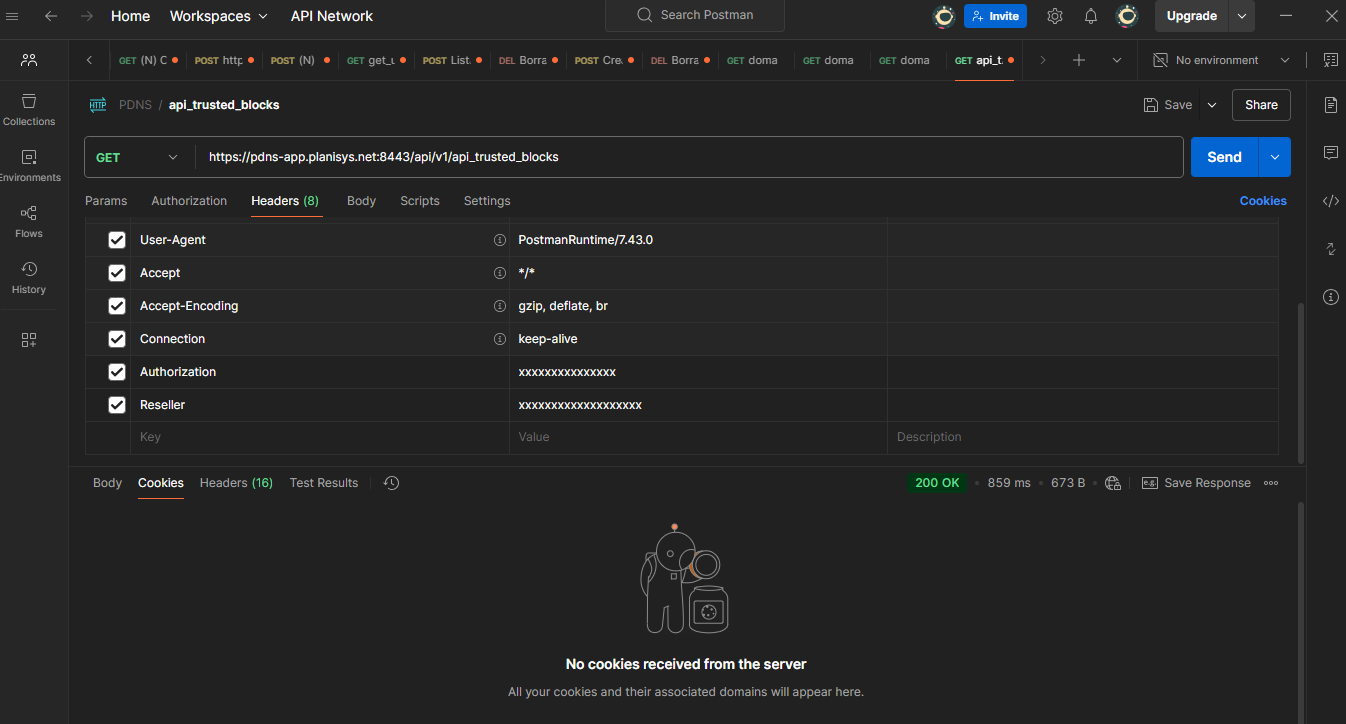
The prefix to use is always https://pdns-app.planisys.net:8443/api/v1, and both reseller and AUTHORIZATION must be included as headers:
Retrieving allowed blocks for resolvers (GET)
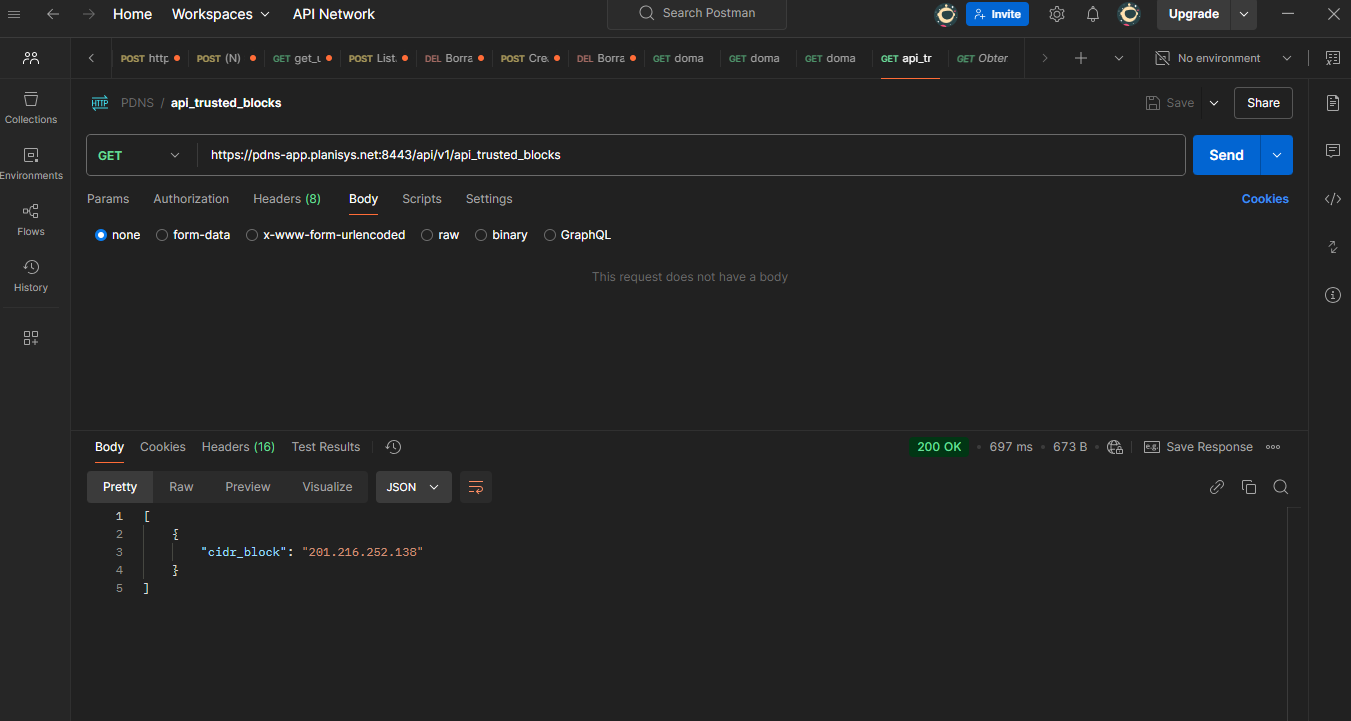
In the case of resolvers, the allowed access blocks are defined through the web interface. They can also be retrieved via the API:
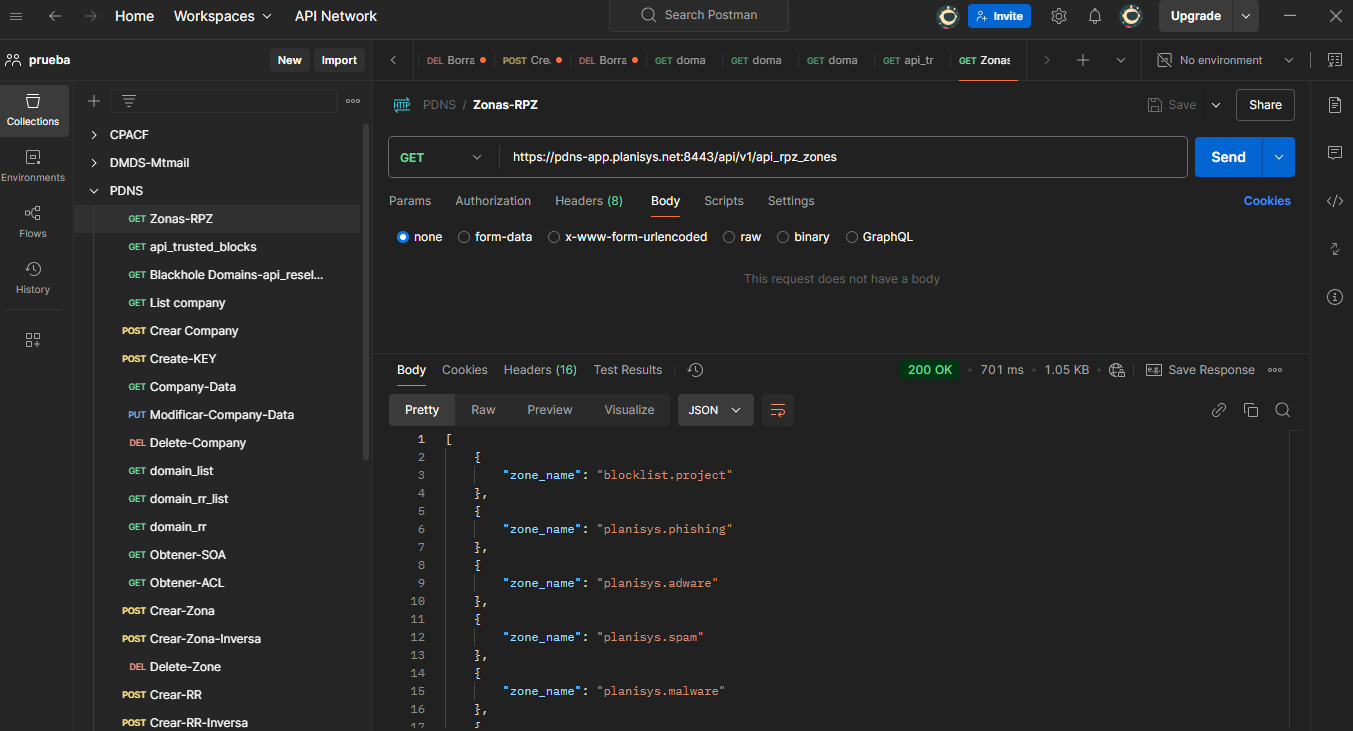
Retrieving enabled RPZ zones (GET, v2.0)
For resellers with an RPZ Feed license, this endpoint allows retrieving the enabled Response Policy Zones.
Retrieving domain list (GET, v2.0)
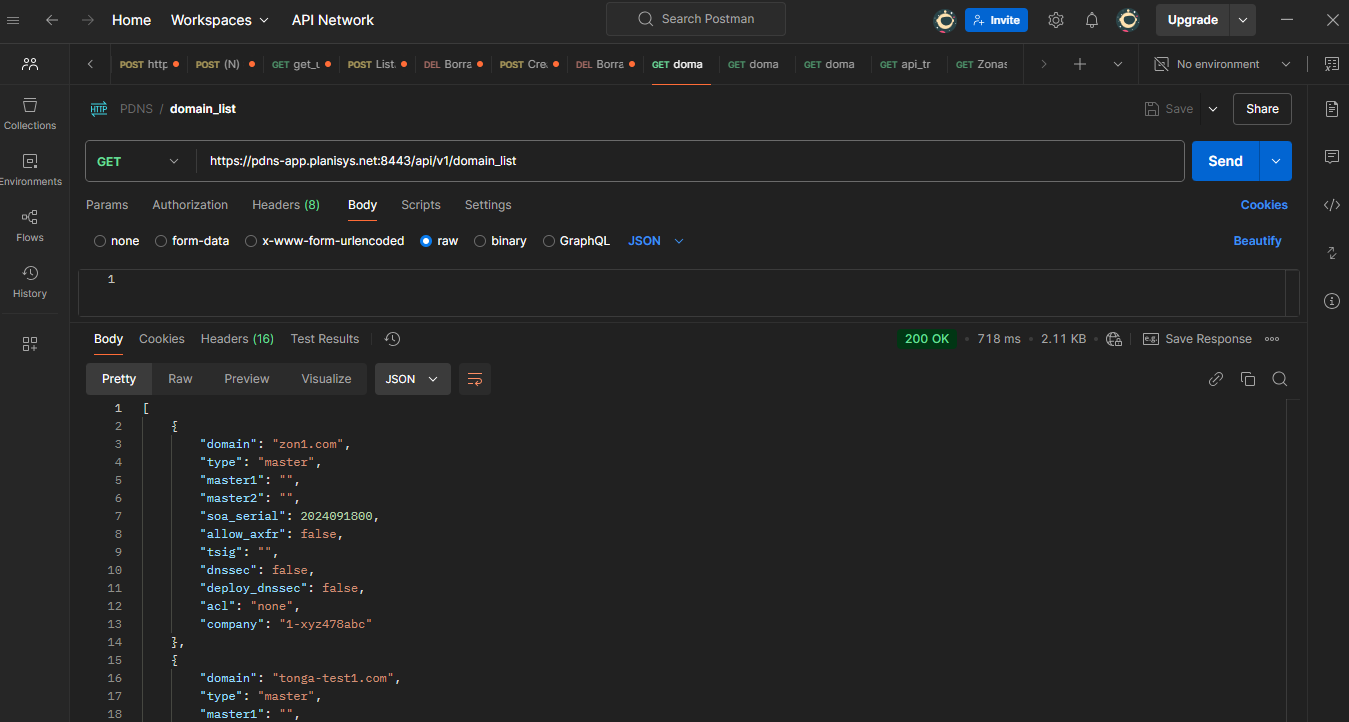
The complete list of domains belonging to a reseller is obtained as follows:
Warning
Depending on whether authentication is performed using HTTP_RESELLER or HTTP_COMPANY, each with its respective APIKEY, this endpoint returns the list of domains for the Reseller or the Company.
curl -X GET ${PDNS_APIURI}/api/v1/domain_list -H "Authorization: ${PDNS_APIKEY}" -H "Reseller: ${PDNS_RESELLER}"
Warning
This endpoint only returns active domains, meaning domains that have not been suspended. Company and domain suspension was introduced in version 2.1.
Retrieving the SOA of a domain (GET, v2.0)
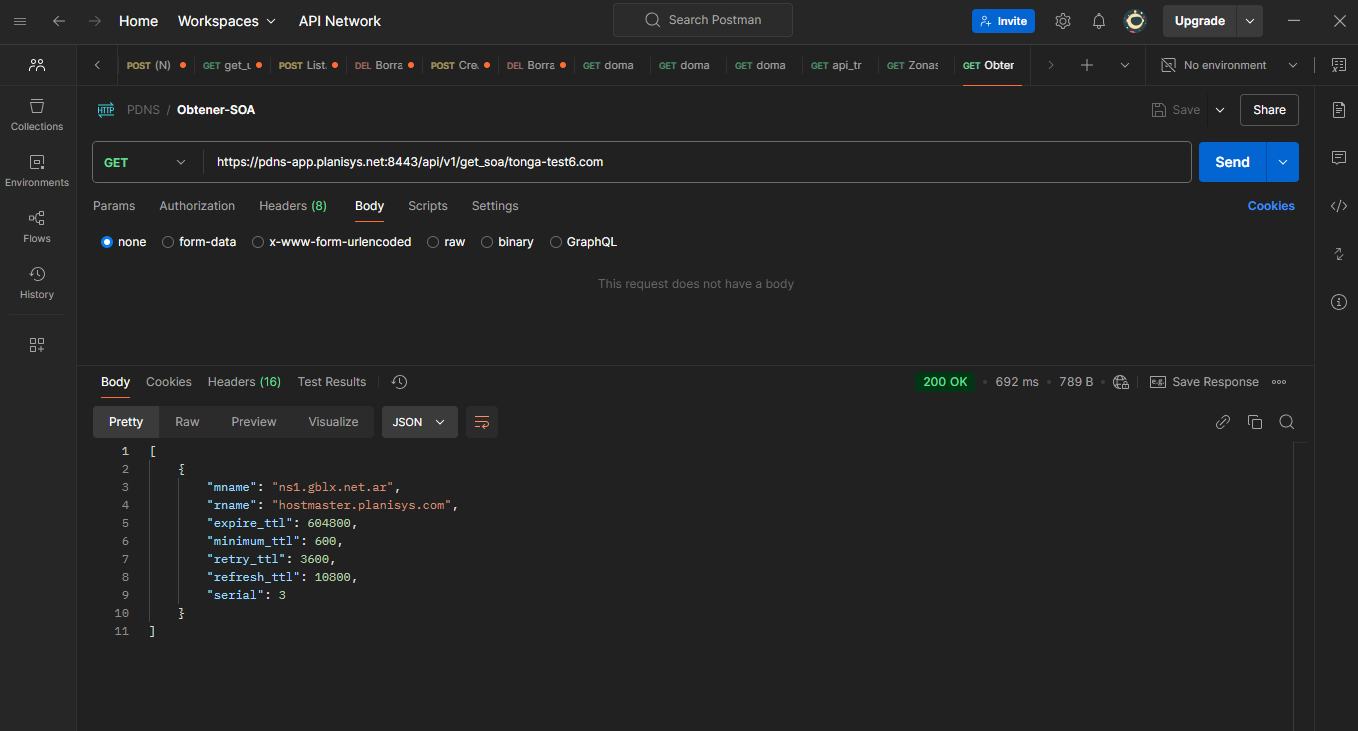
This GET request includes the domain name in the URI, from which a JSON containing the SOA data of the domain tonga-test6.com is retrieved:
Note
In PDNS, the refresh_ttl is often overridden by the NOTIFY message, since PDNS generates the zone list with a directive to notify the secondary IPs whenever a change occurs.
Warning
The serial is generally in calendar mode, using the format YYYYMMDDHH (four digits for the year, two for the month, two for the day, and two for the hour, or alternatively a value from 00 to 99). However, the PDNS interface allows specifying for each domain whether it uses calendar mode or pure serial mode with an incrementing number.
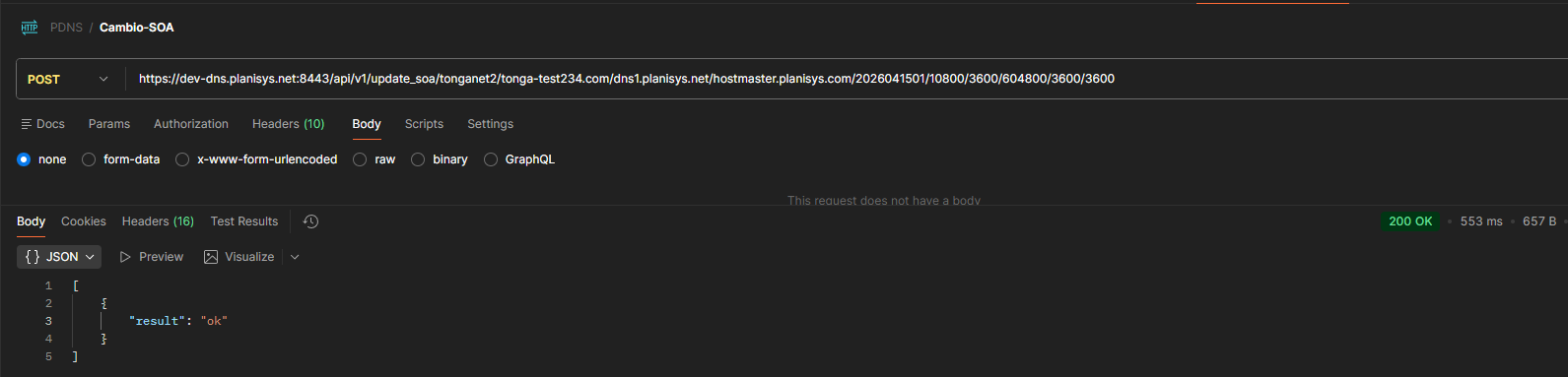
Modifying the SOA of a domain (POST)
POST /api/v1/update_soa/{company_short}/{domain}/{mname}/{rname}/{serial}/{refresh}/{retry}/{expire}/{minimum}/{ttl}
Updates the SOA record of a DNS zone.
- params
company_short: Company identifier (crm_id)
domain: Domain name
mname: Primary DNS server
rname: Responsible party email (DNS format, without @)
serial: Zone serial number
refresh/retry/expire/minimum: SOA values
ttl: SOA record TTL
- headers
Authorization: API Key
Reseller: Reseller identifier
Retrieve Resource Records from a domain (GET)
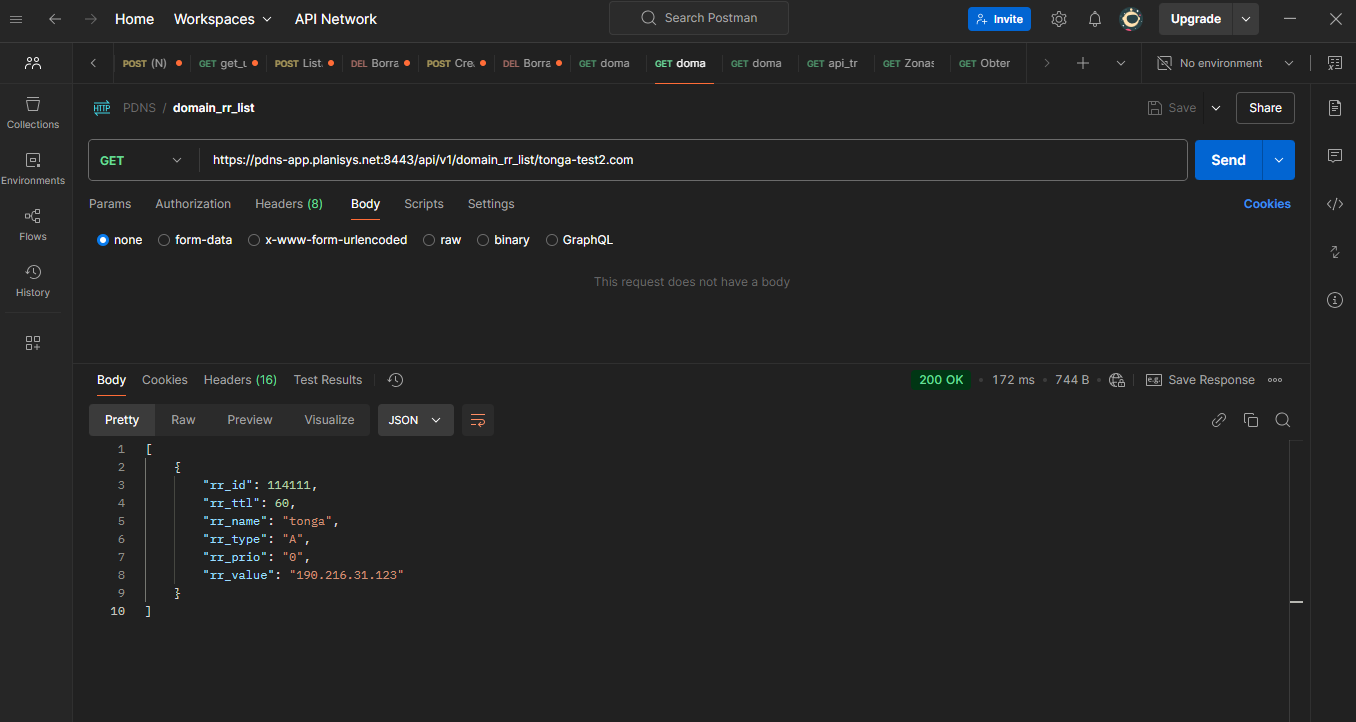
Example: retrieve a JSON containing the Resource Records, excluding the SOA which is retrieved separately, for the domain tonga-test2.com.
Note
The value of rr_prio is numeric, but it is returned as a string to facilitate zone creation on authoritative servers. It is only required for certain records such as MX.
Note
The rr_id value is unique and allows both modifying and deleting a record.
Delete a Resource Record by ID (DELETE)
A resource can be deleted by ID.
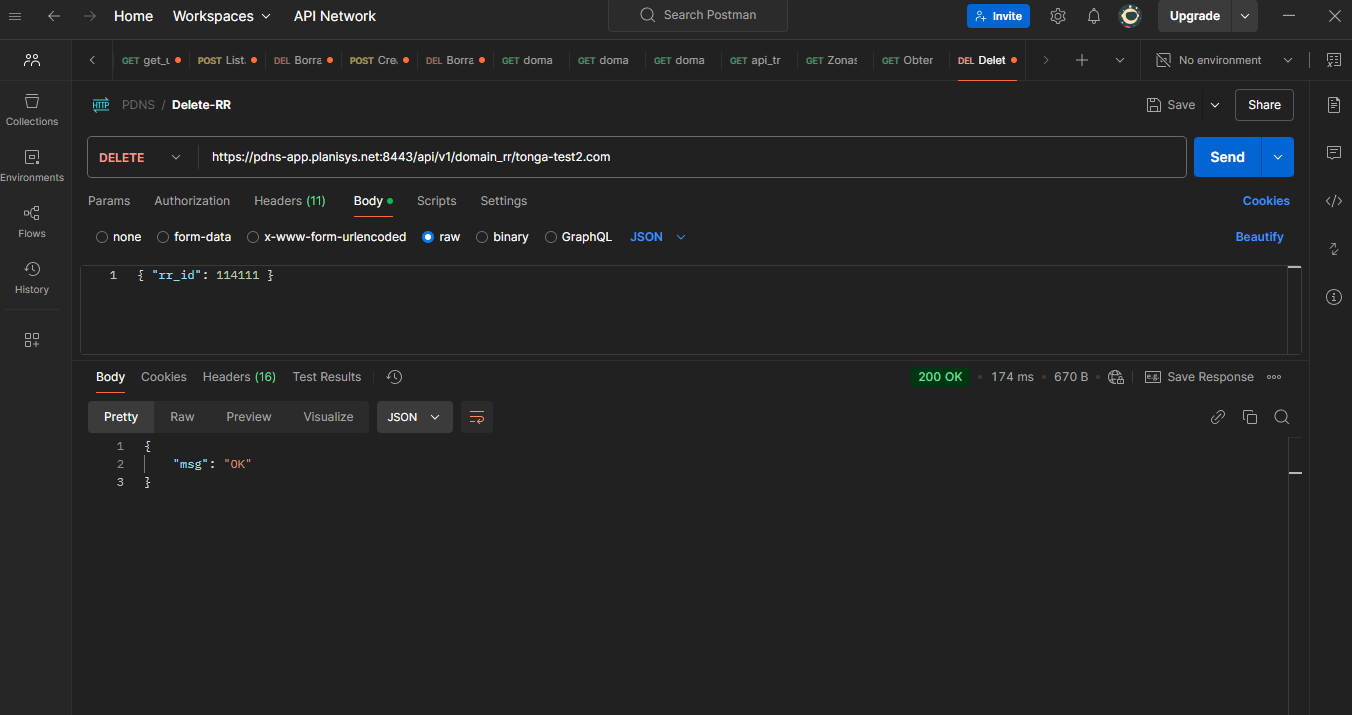
If it does not exist or is not part of the domain being sent in the URI, it returns a 400 error.
Note
the zone SOA serial is automatically incremented by 1 (one)
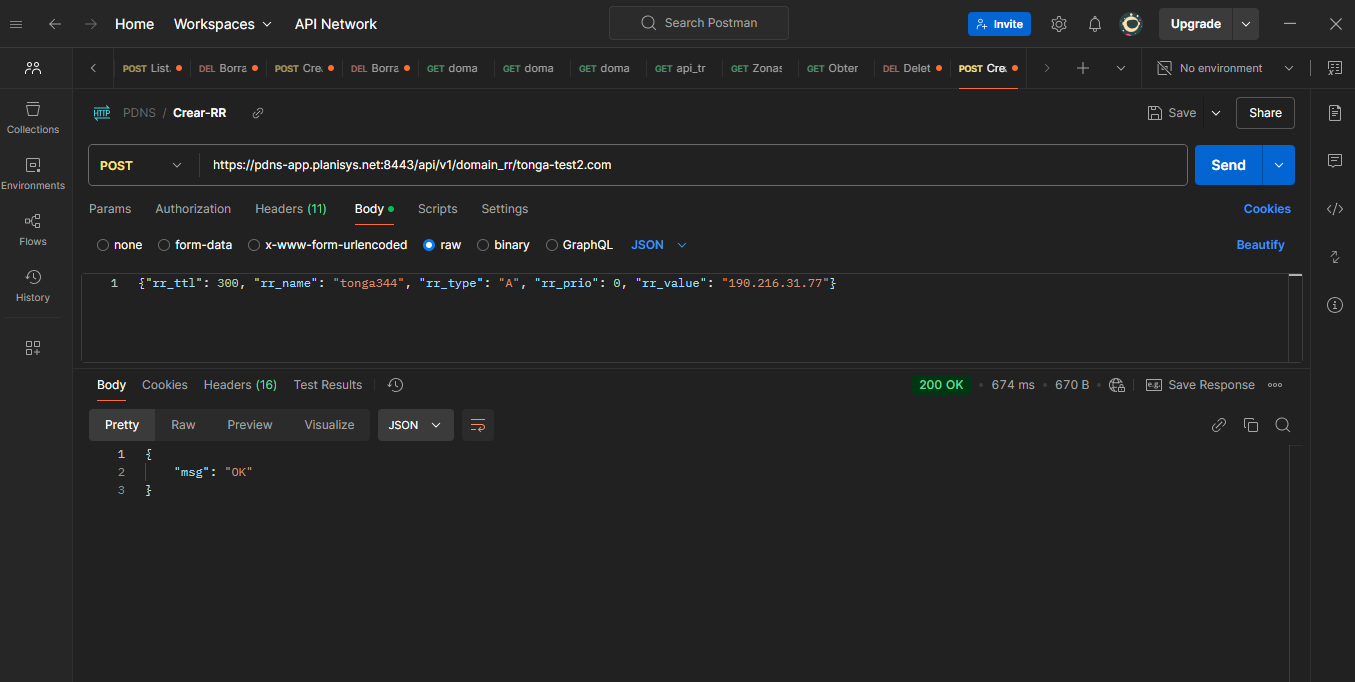
Create a Resource Record (POST)
Creating an RR within a zone returns its ID.
In this case, we create a record within the zone tonga-test2.com
Warning
The restrictions explained in the PDNS manual for CNAMEs apply, such as the prohibition of overlapping CNAMEs with other records and therefore the prohibition of CNAMEs at the zone APEX, since the SOA record already exists there.
Note
the zone SOA serial is automatically incremented by 1 (one)
Note
A reverse zone only supports NS and PTR records, in addition to the SOA which is created together with the zone.
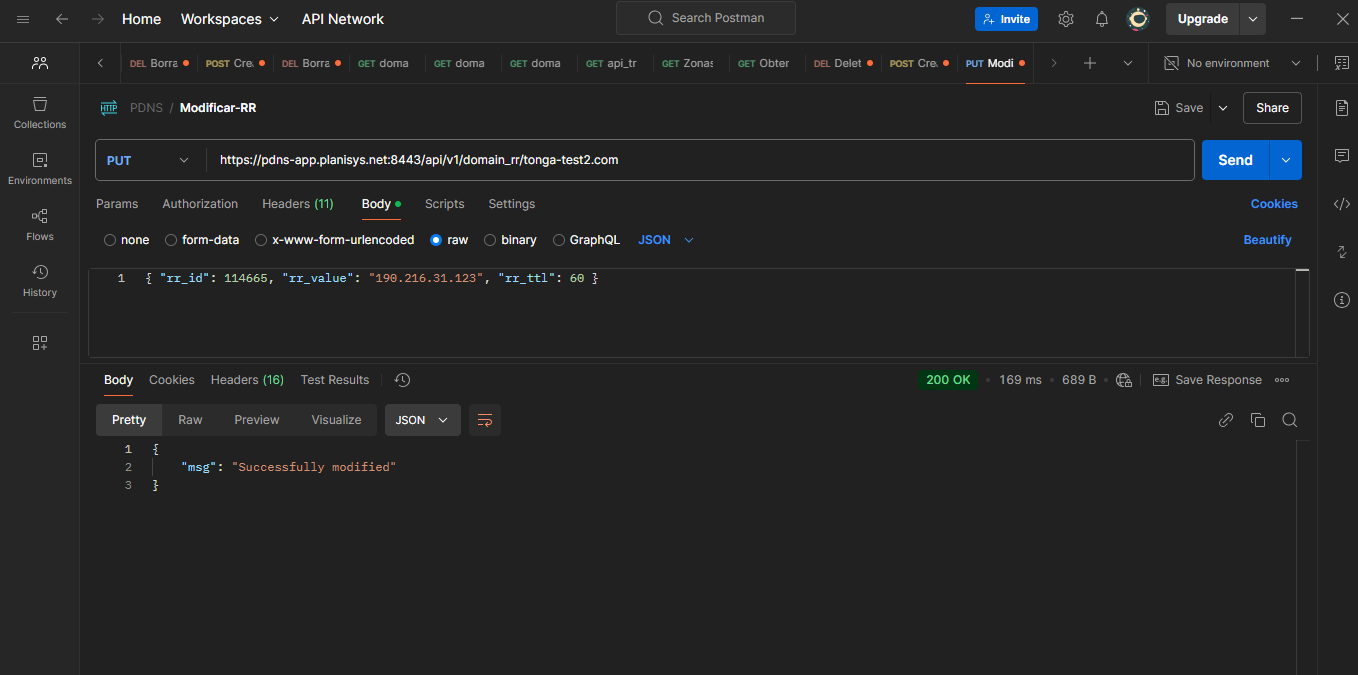
Modify a Resource Record by ID (PUT)
Once the ID of an RR is available, its TTL, value, or even its type can be modified:
Note
When the ID is available, it is only necessary to send the fields to be modified. In other words, it is not necessary to resend everything.
Note
the zone SOA serial is automatically incremented by 1 (one)
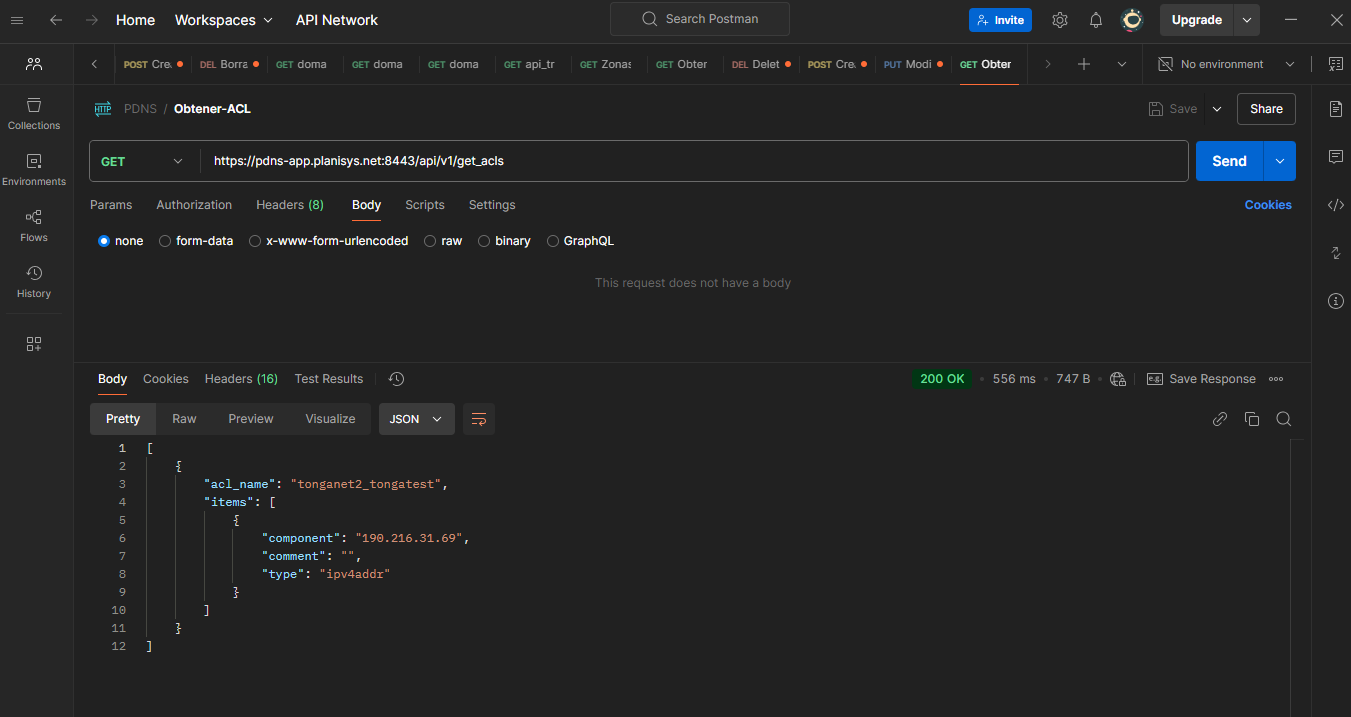
Retrieve Reseller ACLs (GET)
ACLs or Access Control Lists allow setting transfer permissions for domains that are authorized to be transferred to other servers. In other words, domains whose complete contents may be copied.
Whenever a domain transfer is allowed, individual or block-based IPv4 or IPv6 addresses must be specified, or a cryptographic TSIG key that allows whoever possesses it to retrieve a copy of the domain regardless of the source IP.
An ACL has a name and consists of a list of possible IPv4 and/or IPv6 blocks or individual IPs (that is, /32), and possibly a TSIG key.
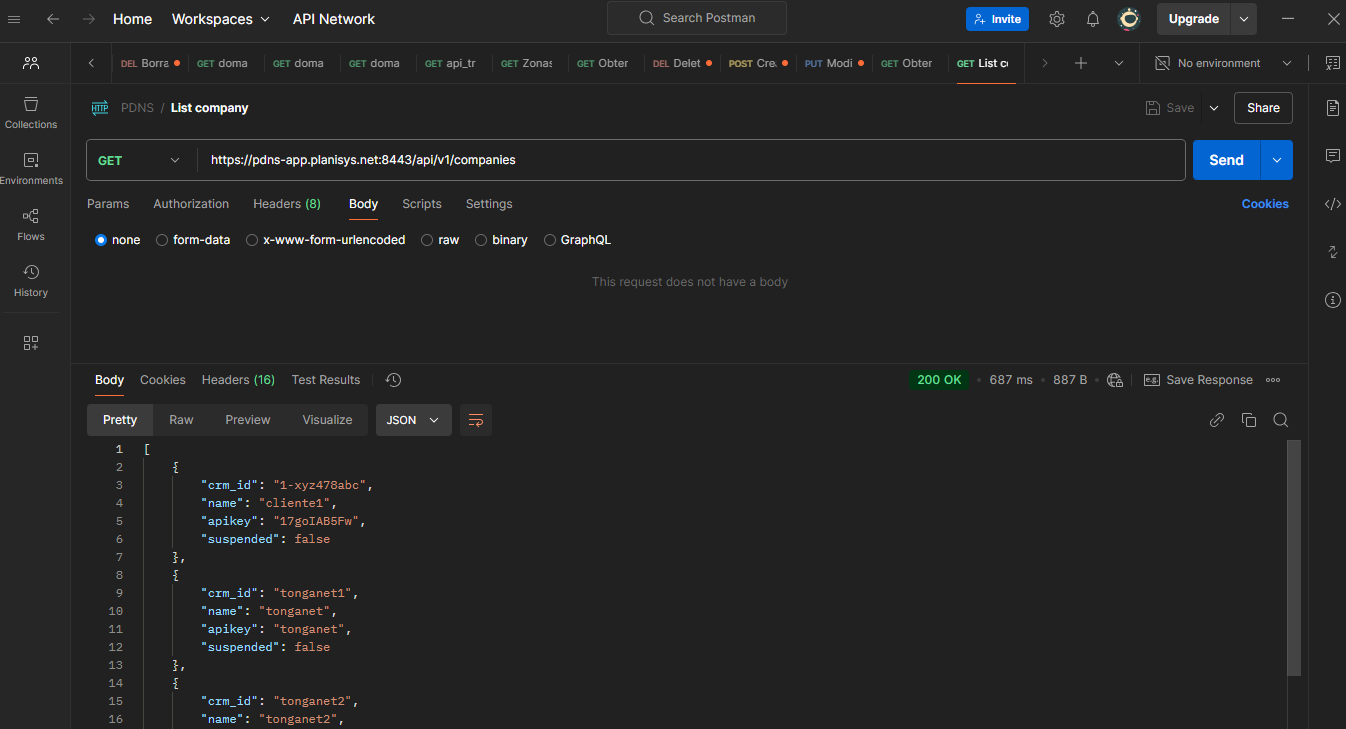
Retrieve Company list (GET)
Retrieve Company data (GET)
This GET request must include a parameter in the input JSON to retrieve data for a company named “vlans”.
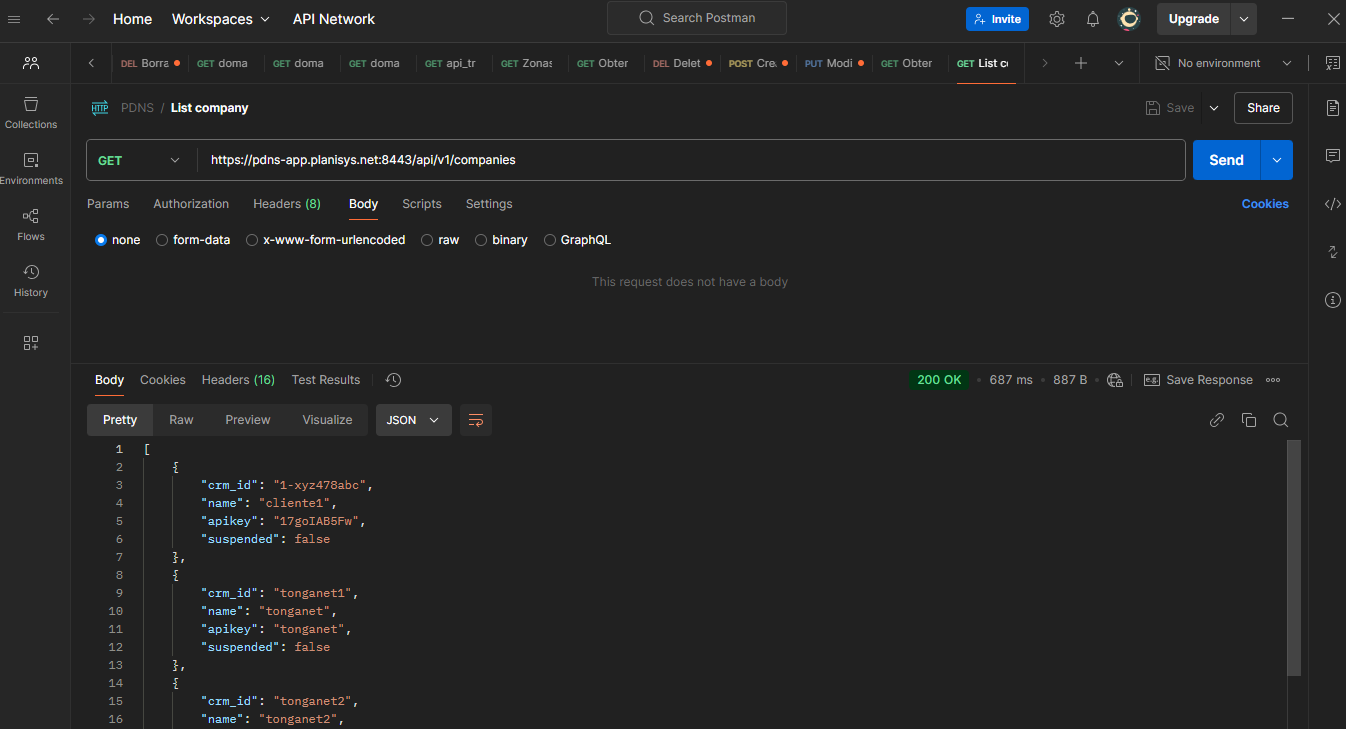
The result is a JSON containing operational data for that specific company, such as its apikey and whether it is suspended or not.
Note
If you want to retrieve a list of companies managed by the Reseller, you must use the companies method call.
Warning
If the crm_id sent in the URL does not correspond to any Company, the request returns an HTTP 400 along with a JSON message: {“msg”:”crmid01 does not exist”}
Modificacion de datos de una Empresa (PUT)
Se debe enviar en la URL un crm_id de empresa a modificar, y aquellos campos que se quiera modificar incluyendo el propio crm_id (solo se modifican aquellos valores que figuran en el JSON), p.ej.
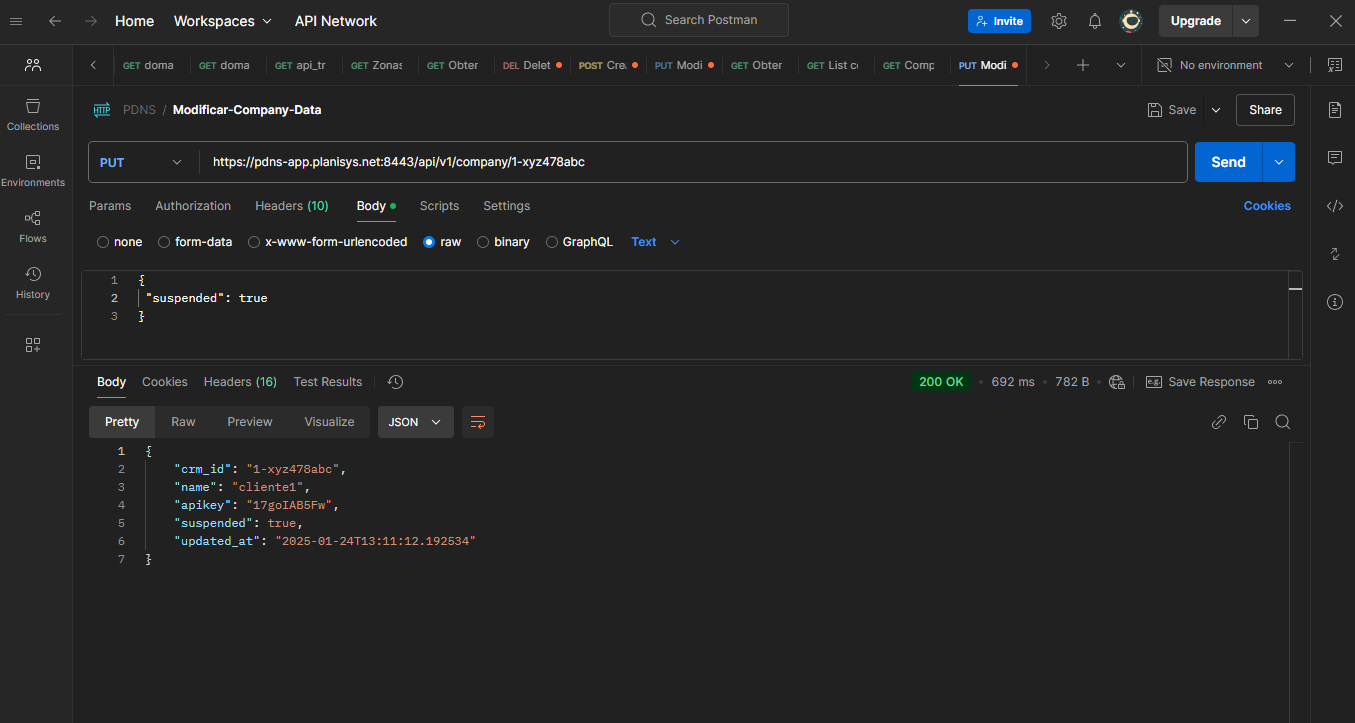
Warning
En caso de modificar el valor de suspended , los cambios se haran efectivos hacia todos los dominios de la Empresa.
Note
Si un dominio se encuentra en estado suspended, significa que los servidores autoritativos del Reseller no lo van a anunciar/publicar.
Warning
En caso de cambiar el crm_id , se verificara que sea valido (alfanumerico, solo ‘-‘ y ‘_’ como caracteres especiales permitidos, y se lo pasara todo a minuscula por tratarse de una clave de búsqueda)
Warning
En caso de cambiar apikey, se removeran todos los espacios, ‘,’ y ‘;’, dado que no estan permitidos como parte de una clave API.
Creacion de una Empresa (POST)
Se debe enviar un crm_id con las restricciones definidas anteriormente, un name o nombre, y una apikey. El estado inicial de suspended es False, es decir la empresa está activa para que todos los dominios que se le asocien, estén a su vez activos por default a medida que vayan siendo creados.
El endpoint chequea que el crm_id no exista previamente, y que se le proporcionen name y apikey como parametros obligatorios.
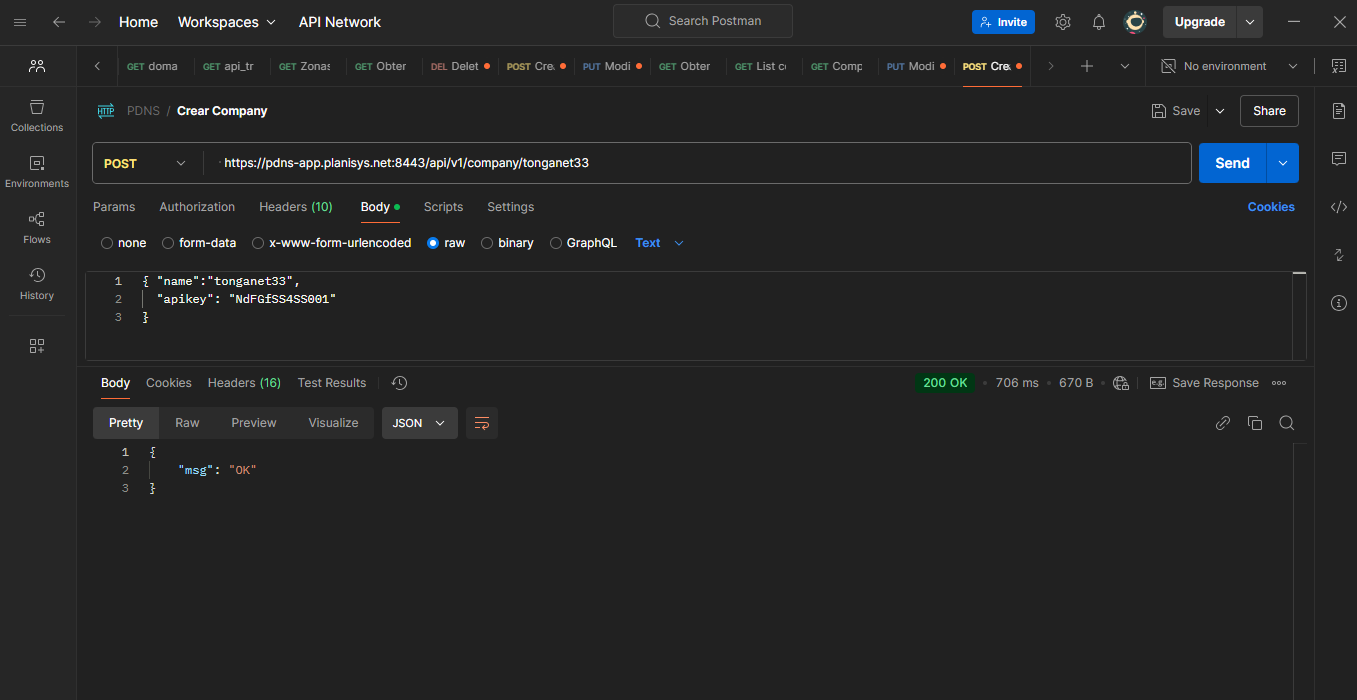
En caso de ya existir el crm_id , la API devuelve un error 400 y un mensaje {“msg”:”Company nuevaempresa1 already exists”}
Borrado de una Empresa (DELETE)
Se debe enviar un crm_id con las restricciones definidas anteriormente, la apikey de la empresa por seguridad, para reafirmar el pedido.
El endpoint chequea que el crm_id exista, sino devuelve un error 400 con un mensaje {“msg”:”Company empresaxyz does not exist”}.
Warning
Este endpoint borra todos los dominios que pertenezcan a la empresa.
Note
Se recomienda suspender a una empresa en caso de dar de baja, y recien transcurrido un cierto tiempo, proceder a un cleanup a traves del borrado.
Creacion de una zona master (POST)
Para crear una zona master, se debe especificar a que empresa pertenece (crm_id), y un fqdn o Fully Qualified Domain Name (este ultimo en la URI). El nombre no necesita ser reconocido en el Internet, porque puede tratarse de una zona nueva o de una zona interna. Ademas, se deberan proveer datos para el registro SOA.
El tipo de serial SOA puede ser numeric o calendar (en este último caso es YYYYMMDDSS, siendo SS un valor de 0 a 99). En el caso de calendar , la cantidad de cambios se limita a 100 por dÃa.
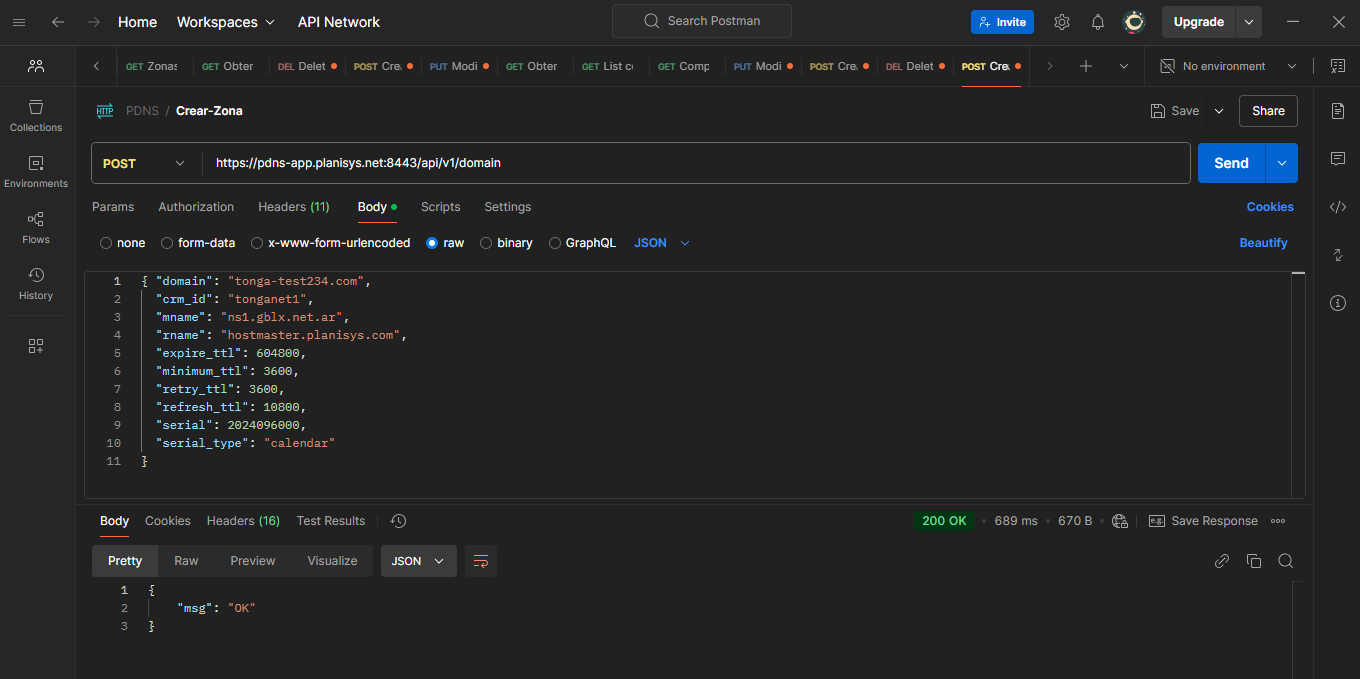
Si falta alguno de los datos, el endpoint devuelve un error 400 diciendo que falta un campo. Tambien hace chequeos de consistencia, p.ej. respecto al mname o Master DNS Name, que lo pone como registro NS automaticamente al crear la zona, y tambien crea el registro SOA con los datos proporcionados.
En caso de existir la zona dentro del Reseller, devolvera un error 400 con un mensaje de Zona duplicada.
La zona se crea con el parametro suspended en False, es decir la zona se activa inmediatamente.
Zona master reversa
Respecto a la creacion de zonas, valen las siguientes acotaciones:
Warning
en caso que la zona termine en in-addr.arpa o ip6.arpa , la zona sera considerada reversa en vez de directa. Esta metadata no se puede cambiar.
Note
A diferencia de la interfaz web, en donde se utiliza la notacion directa de una /24, p.ej. 123.221.24.0/24 para denotar la creacion de una zona reversa, en la API utilizamos 24.221.123.in-addr.arpa directamente como nombre de la zona. Actualmente PDNS solo soporta zonas /24 para registros PTR.
Note
Por ejemplo, una zona IPv6 0.0.0.0.0.0.c.b.3.0.8.2.ip6.arpa representa una /40 , con valores como p.ej. 2803:bc00::9A, el valor extendido es 2803:bc00:0000:0000:0000:0000:0000:009a. En caso de querer representar la zona 2803:bc00:0000::/64 , el nombre de la zona es mas largo 0.0.0.0.0.0.0.0.0.0.0.0.0.0.0.0.0.0.0.0.0.0.0.0.0.0.0.0.0.0.c.b.3.0.8.2.ip6.arpa
Suspension y Reanudacion de una zona (PUT)
Una zona se puede reanudar y suspender sucesivamente utilizando llamadas PUT a los siguientes endpoints, p.ej.:
suspend_zone:
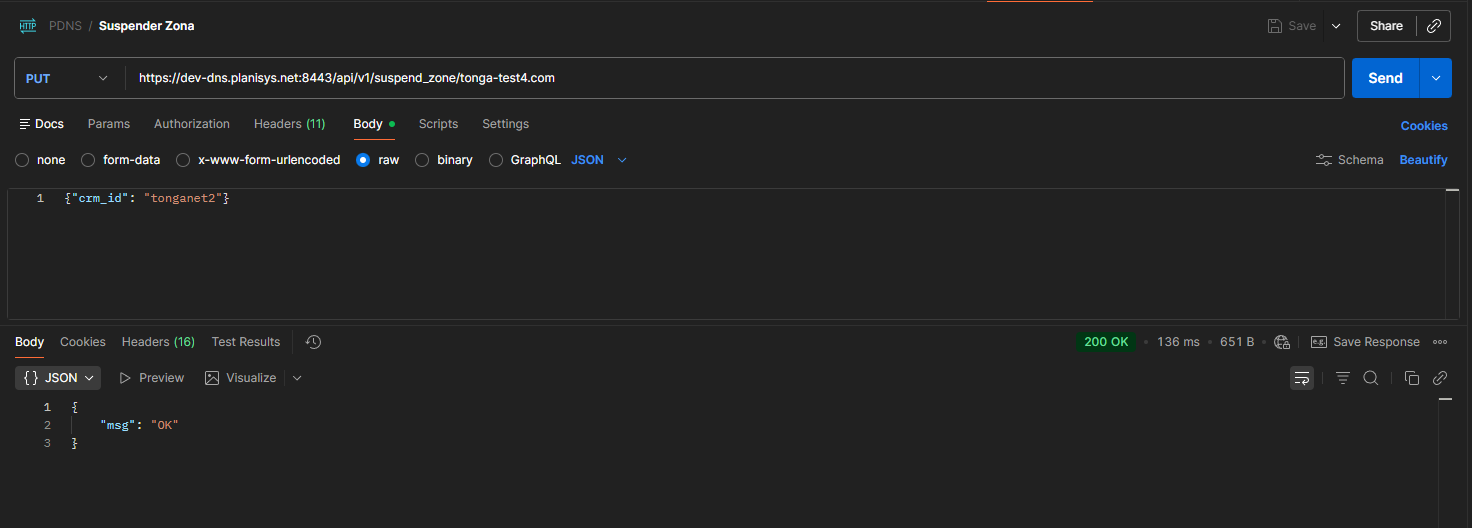
curl --location --request PUT 'https://ejemplo.planisys.net:8443/api/v1/suspend_zone/tonga-test4.com' --header 'Authorization: xxxxxxxxx' --header 'Reseller: reseller1234' --header 'Content-Type: application/json' --data '{"crm_id":"tonganet2"}'
resume_zone:
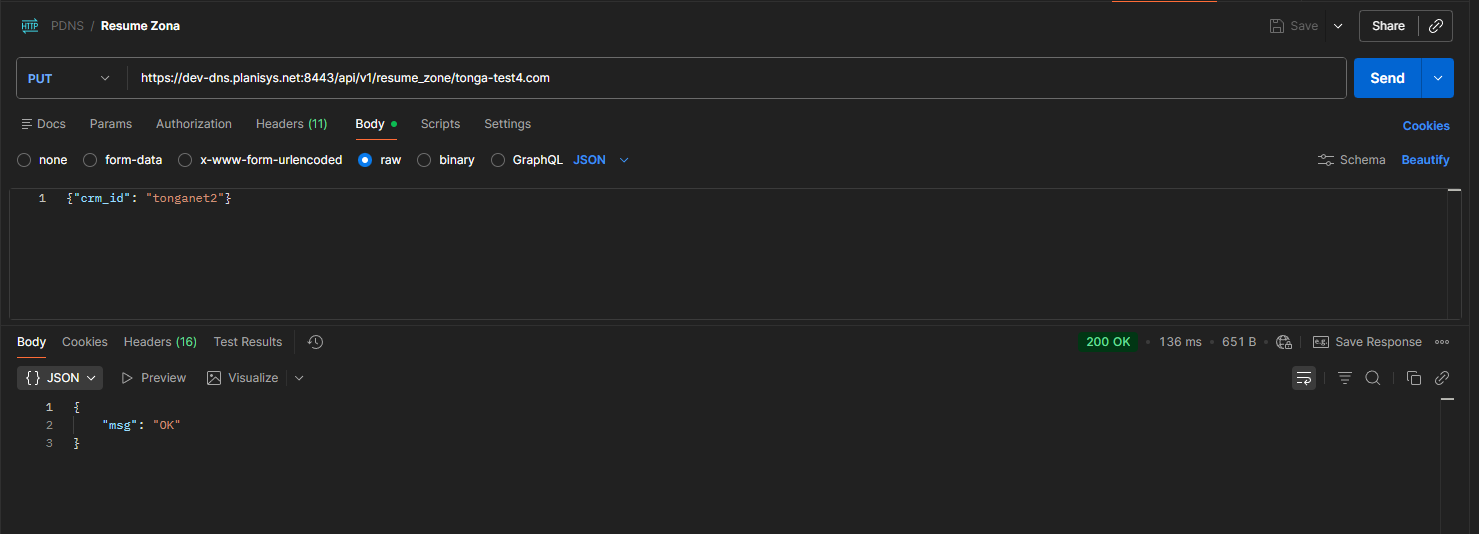
curl --location --request PUT 'https://ejemplo.planisys.net:8443/api/v1/resume_zone/tonga-test4.com' --header 'Authorization: xxxxxxxxxxx' --header 'Reseller: reseller1234' --header 'Content-Type: application/json' --data '{"crm_id":"tonganet2"}'
Note
Suspender una zona significa que no se publica en los DNSs autoritativos correspondientes al Reseller, donde se encuentra la Empresa a la cual pertenece la zona. Sin embargo, se pueden realizar modificaciones via Web o API a los registros de la zona, ya que los mismos se encuentran disponibles.
Borrado de una zona (DELETE)
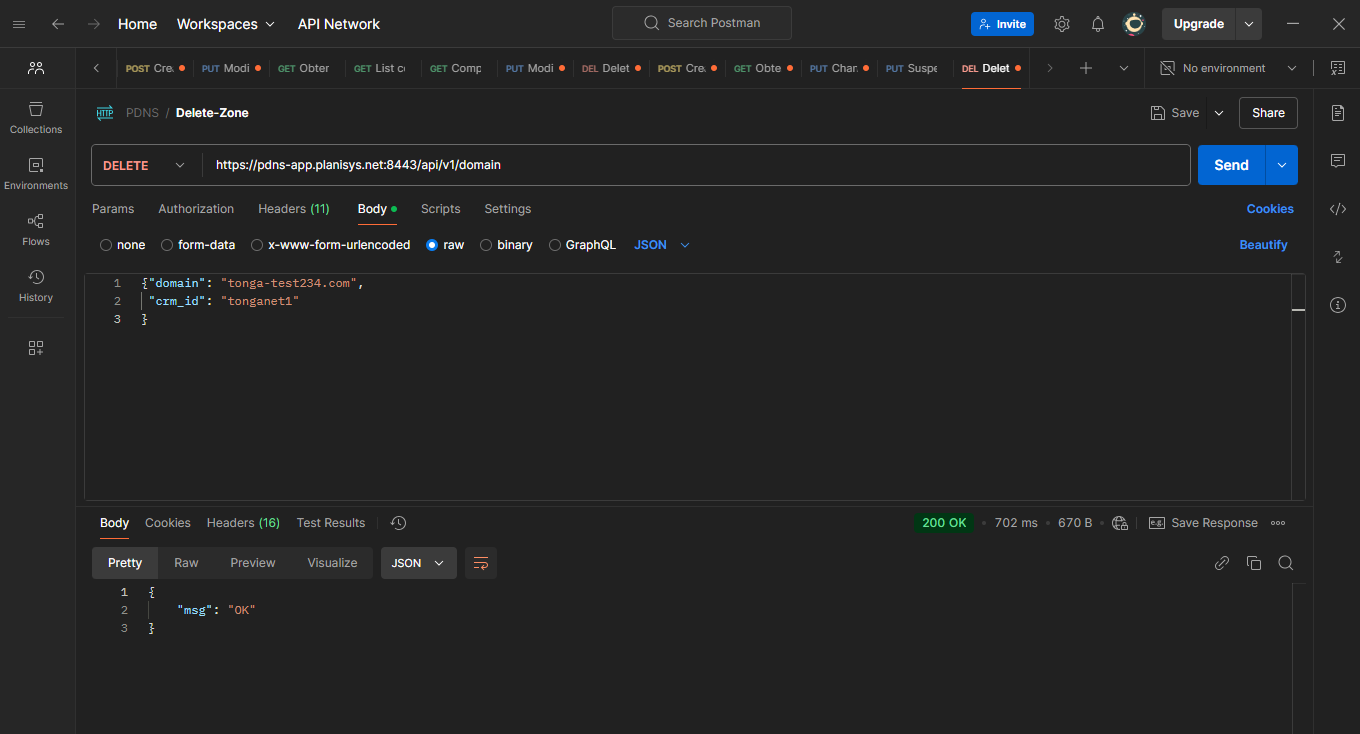
Para borrar una zona, se debera simplemente utilizar el metodo DELETE , con lo cual se borraran tambien todos sus Resource Records incluyendo el SOA. La zona dejara de publicarse y sus registros no estaran mas disponibles.
Warning
Una vez borrada la zona, no queda ningun rastro de la misma.