Planisys Multi-Factor Authentication (MFA)
Planisys provides Multi-Factor Authentication (MFA) for accessing PDNS. This system adds an additional security layer after entering your email and password. You can choose between two authentication methods or use both:
Google Authenticator (or any TOTP - Time-based One-Time Password application).
Second factor through email.
Important
It is recommended to have both enabled, although only one is required to log in, in case the mobile device is lost or access to the email account is unavailable.
Importance of 2FA in PDNS
The information stored in PDNS is critical for the operation of practically all customer services managed by the user. For this reason, it is important to implement a second authentication step after entering the username and password.
Although the control panel uses encrypted HTTPS, protecting credentials from potential attacks on Wi-Fi or wired networks, there are additional risks associated with the user’s device. For example, if a device is compromised with a keylogger, the attacker could capture login credentials. However, with a second factor such as TOTP or email, access remains secure because the attacker would still need to bypass this additional step.
Advantages of MFA
Google Authenticator: - Generates 6-digit codes that constantly change over time (TOTP). - It is a highly secure option because the codes are time-synchronized and do not depend on the network.
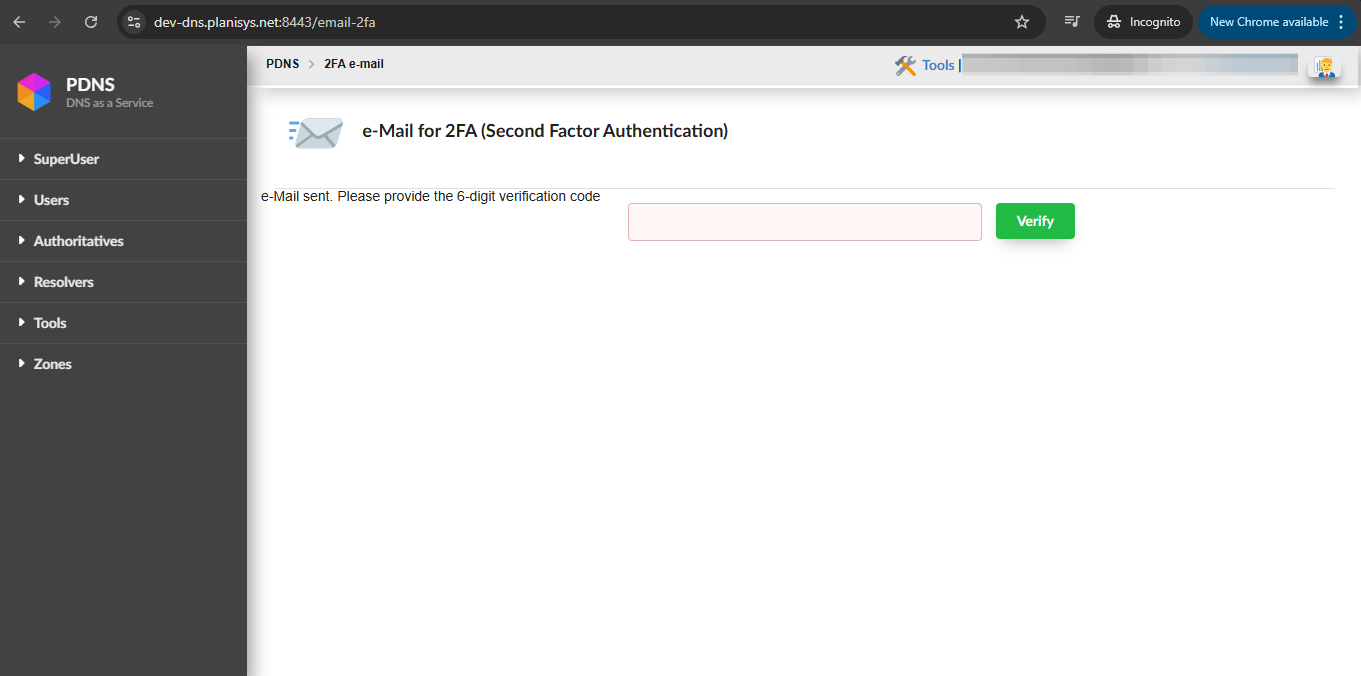
Email: - You will receive a unique code by email each time you log in. - The email used for MFA does not need to be the same one used for logging in; you can configure a different one.

Recommended configuration
It is recommended to configure both MFA methods (Google Authenticator and email) for greater flexibility. The system will request only one of them after login, according to the user’s preference.
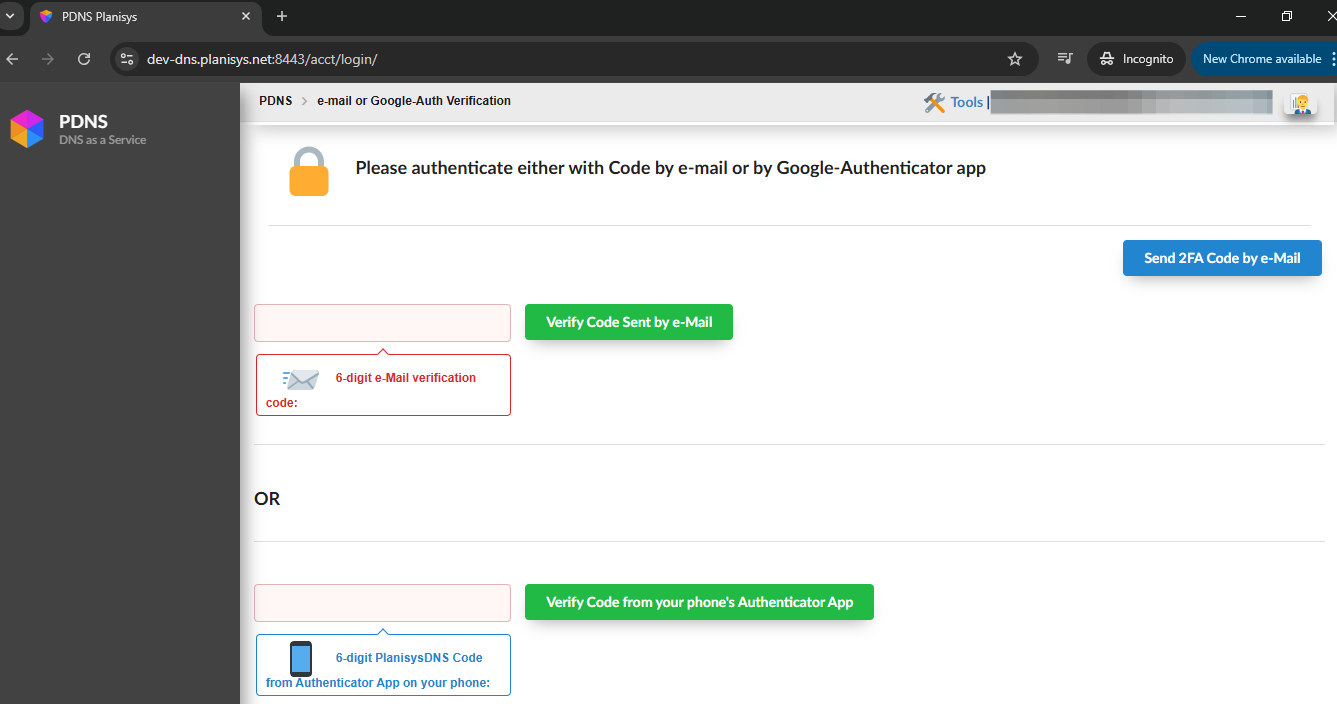
If an error occurs while entering any of the 6 digits of the code, the user will be redirected back to the login screen.
Special cases
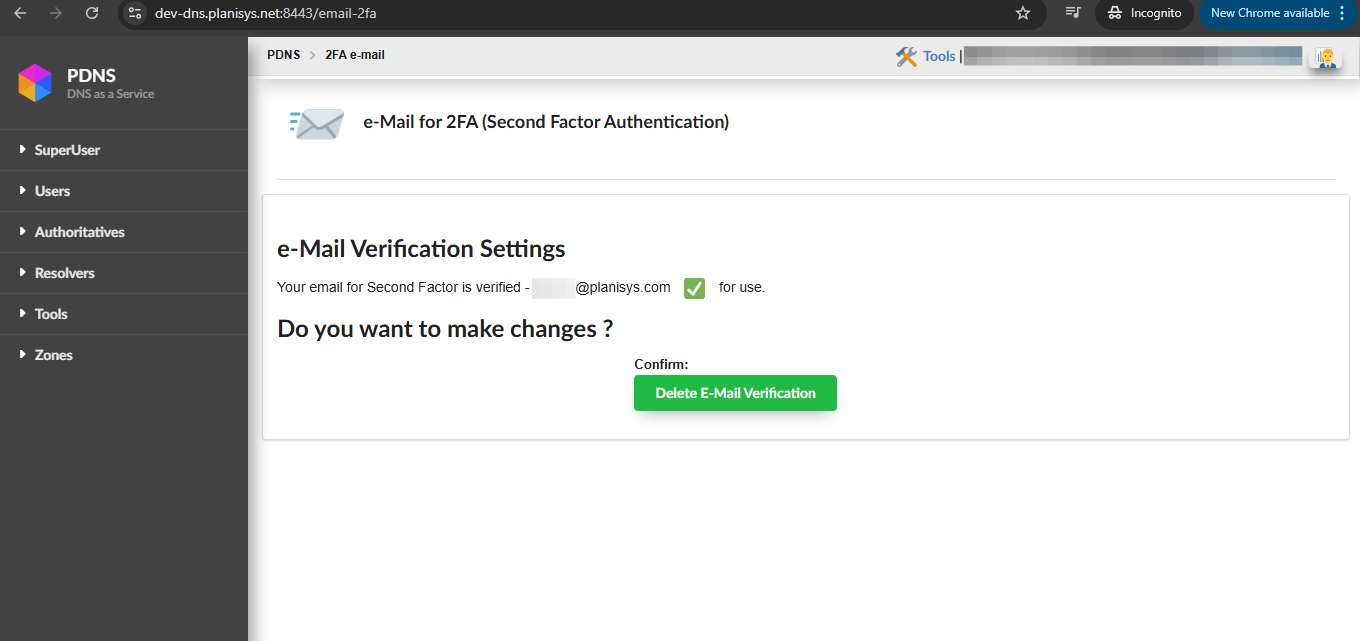
Loss of access to the 2FA email: - If the 2FA email becomes inaccessible, you can use Google Authenticator as an alternative. - You can remove the 2FA email from the corresponding screen and register a new one.
Loss of access to the mobile device: - If you lose access to your mobile device or need to migrate to a new one, you can use email 2FA. - To reconfigure Google Authenticator, remove the TOTP code from the corresponding screen and scan a new QR code.
Final comments
In version 2.2.2 of PDNS, other second-factor methods are not implemented, such as:
Passkeys (fingerprint authentication from the device keyboard).
USB or NFC hardware devices, such as Yubikey or Nitrokey.