Response Policy Zones
Introduction
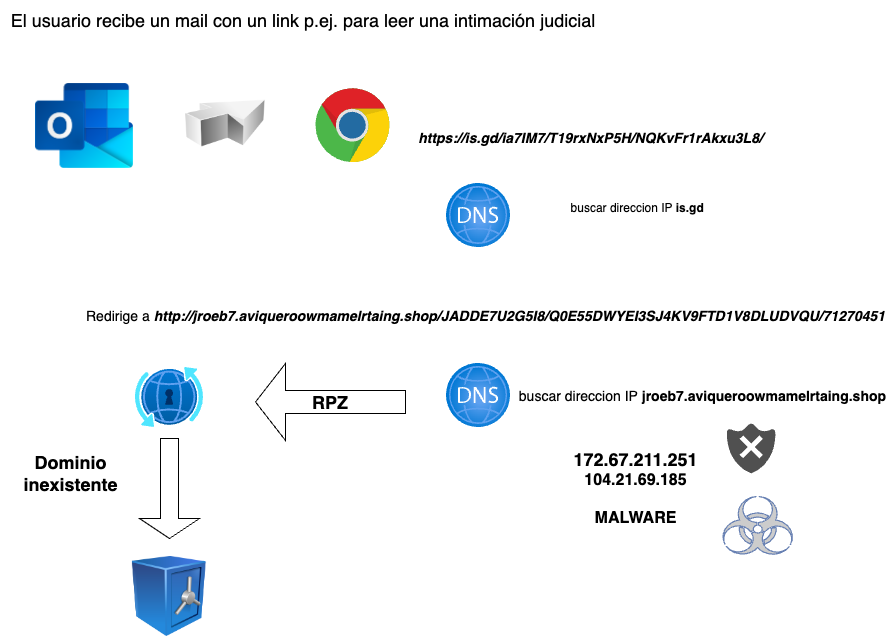
RPZ is a resolver feature that allows listing domains that users or systems using that resolver should not be allowed to access.
This may be due to a court order, a censorship action, or, in the most common case, a Cybersecurity measure associated with Endpoint Protection.
In other words, when a user receives an email containing a malicious link, or when a user’s computer is infected with malware that needs to reach a Command & Control domain, if they are using a Planisys RPZ Resolver IP address, it is very likely that access to that domain will be blocked, and the threat will be neutralized because the malware or the Command-and-Control server will no longer be reachable.
Resolvers
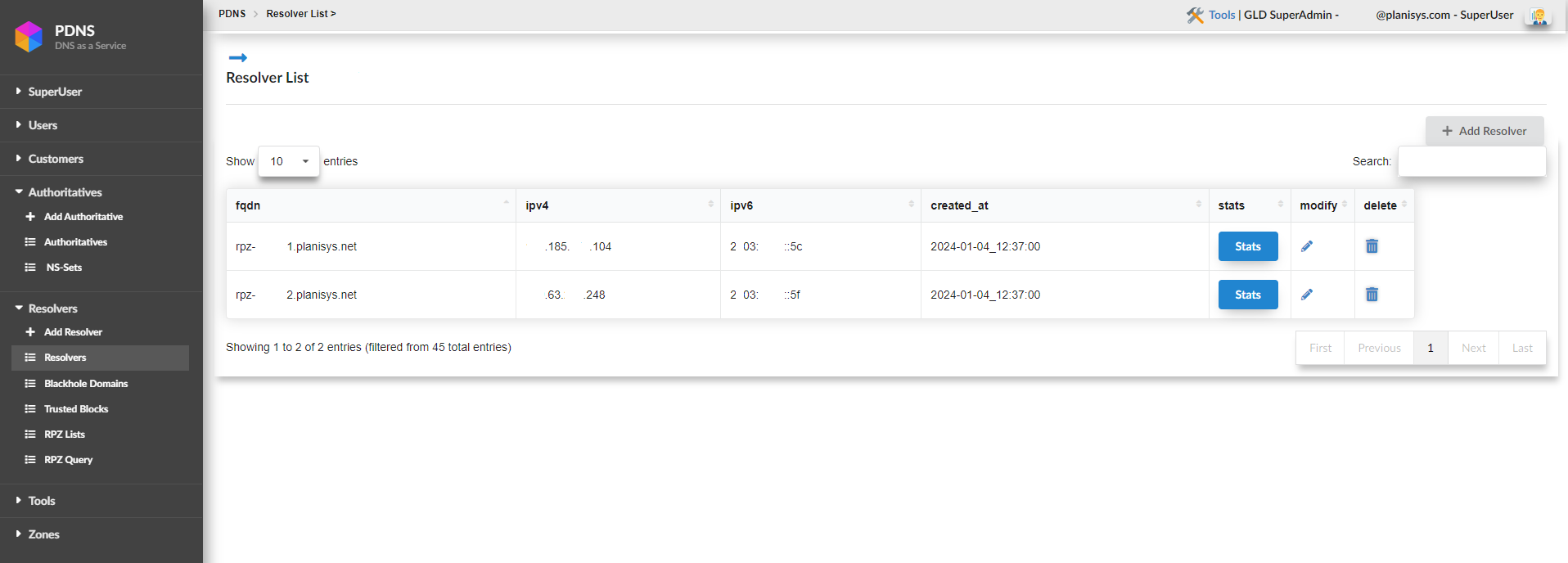
One of the first screens we encounter is the Resolvers screen. It lists the resolvers assigned to us and that must be configured in our environment.
Statistics per Resolver
If we click on STATS, we can view various statistics related to our resolvers.
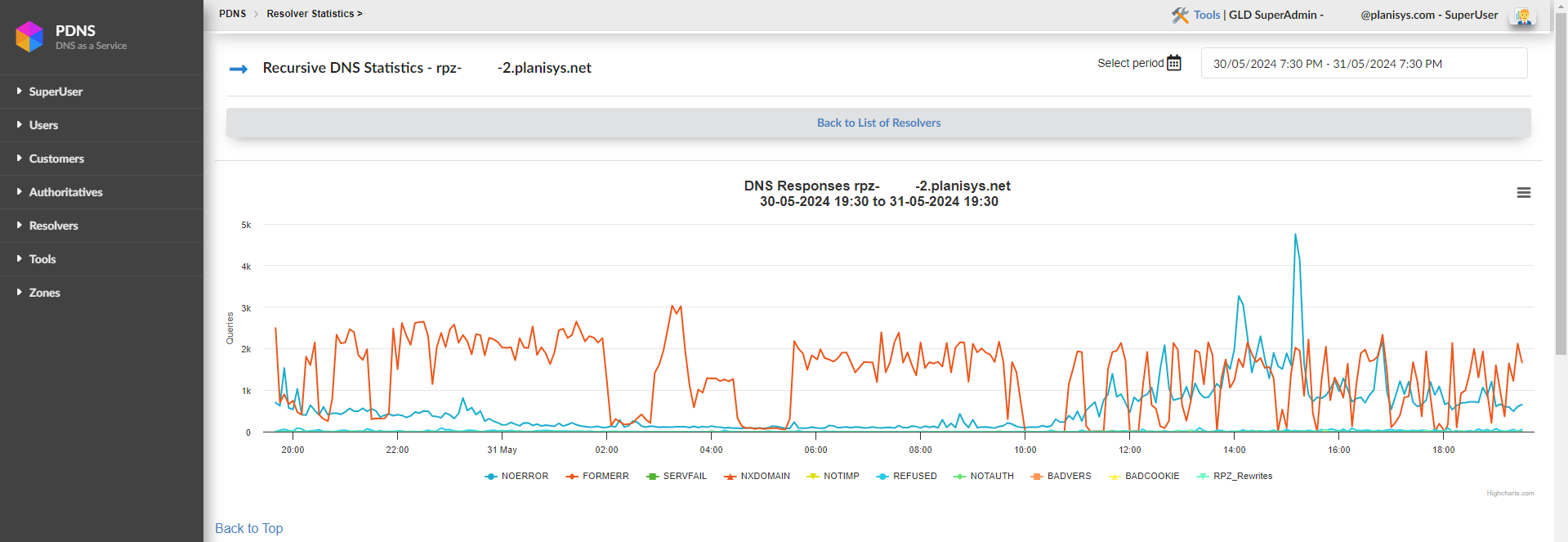
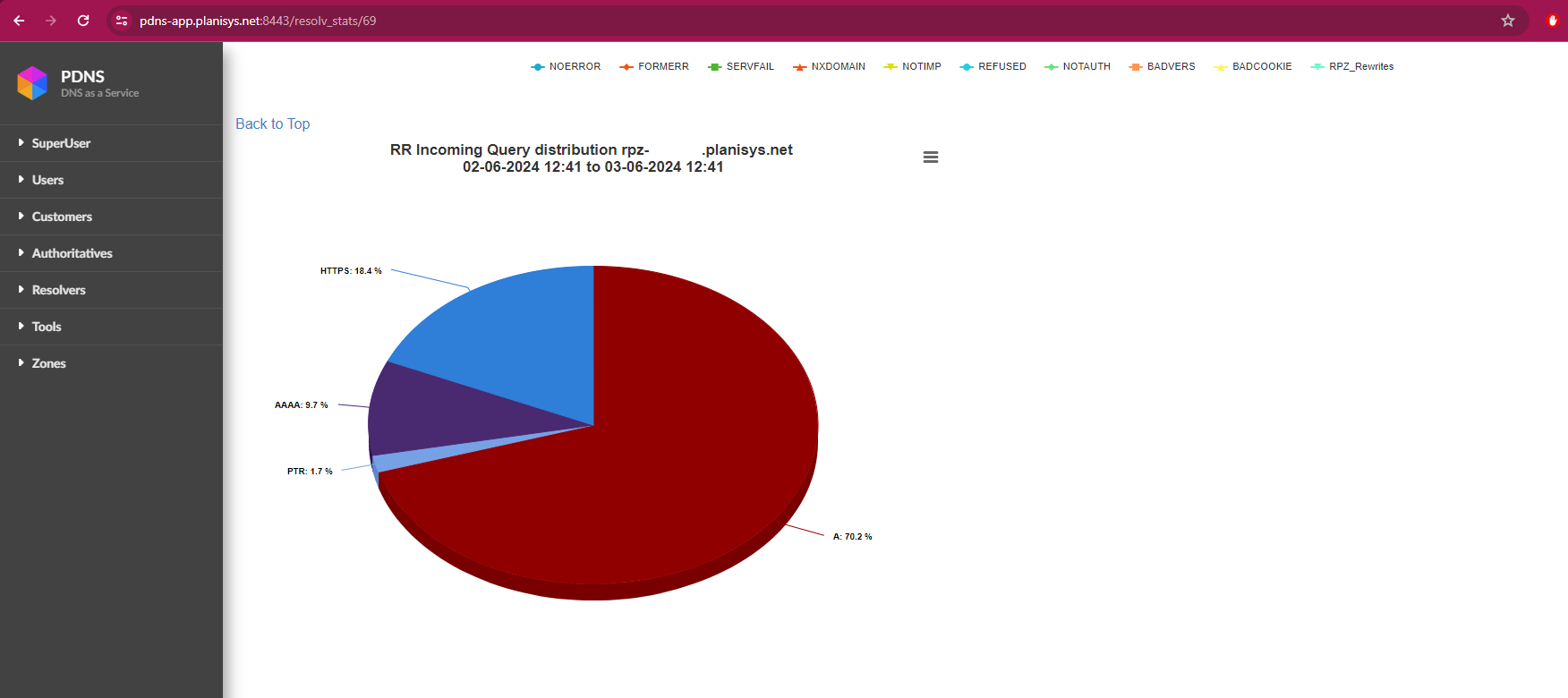
Below are the response codes that may be generated when querying a BIND9 server, which can be seen at the bottom of the graphs:
NOERROR: Indicates that the DNS query was successful. The server was able to resolve the domain name and return a valid response.
FORMERR (Format Error): The DNS server indicates that it received a malformed query. This means the request does not comply with DNS protocol specifications.
SERVFAIL (Server Failure): The DNS server could not process the query. It is a generic response typically returned when encountering an invalid format or a command unrelated to DNS.
NXDOMAIN (Non-Existent Domain): Indicates that the requested domain name does not exist in DNS. The server is reporting that there are no records for that domain.
NOTIMP (Not Implemented): The DNS server does not support the query type or requested operation.
REFUSED: The DNS server refuses to process the query. This may occur for various reasons, such as security restrictions or server configuration rejecting queries from specific IP addresses.
NOTAUTH (Not Authorized): The DNS server indicates that it is not authorized to provide an answer for the requested zone. This may happen if the query is directed to a server that is not authoritative for that zone.
BADVERS (Bad Version): This code indicates that the query used an unsupported or incorrect version of the DNS protocol.
BADCOOKIE: Related to DNS Cookie validation, which is used to protect against Denial of Service (DoS) attacks. This error occurs when the received DNS cookie is invalid or does not match what the server expects.
RPZ_Rewrites: “RPZ” stands for Response Policy Zones, a BIND feature that allows DNS responses to be rewritten according to policies. When you see “RPZ_Rewrites”, it means the DNS server modified the response based on RPZ rules, such as blocking or redirecting domains.
Unified Resolver Statistics
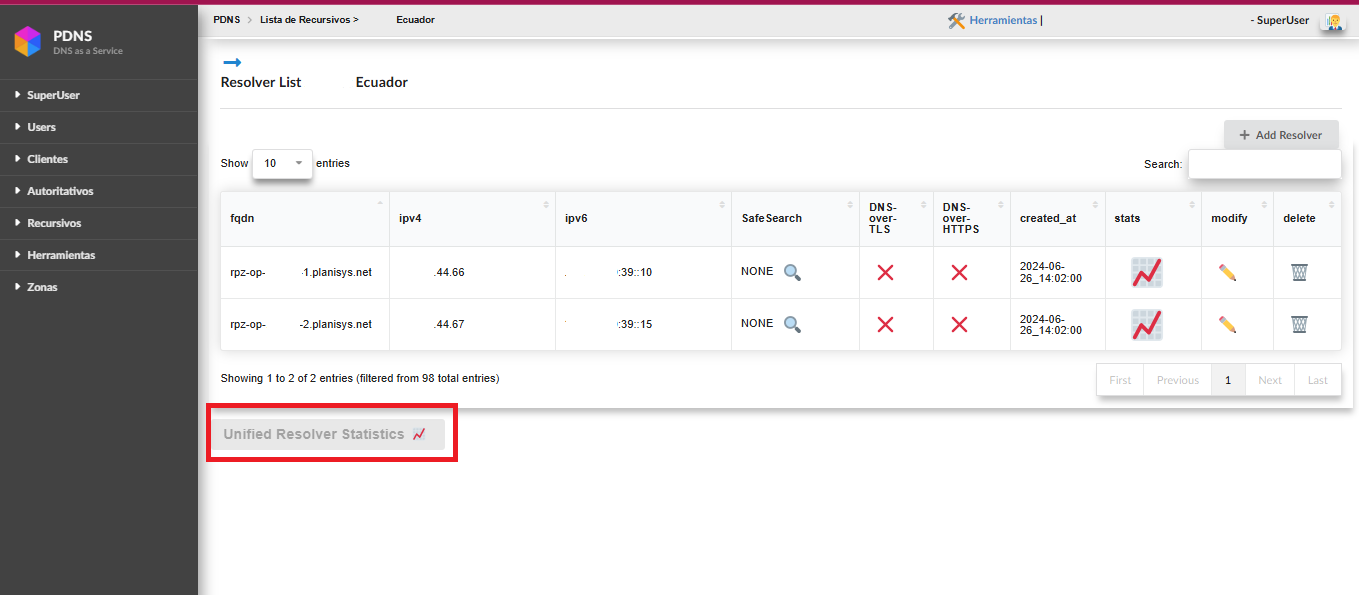
Below the resolver list, a new button has been added where the following statistics can be viewed. These values represent the aggregate results from all resolvers.
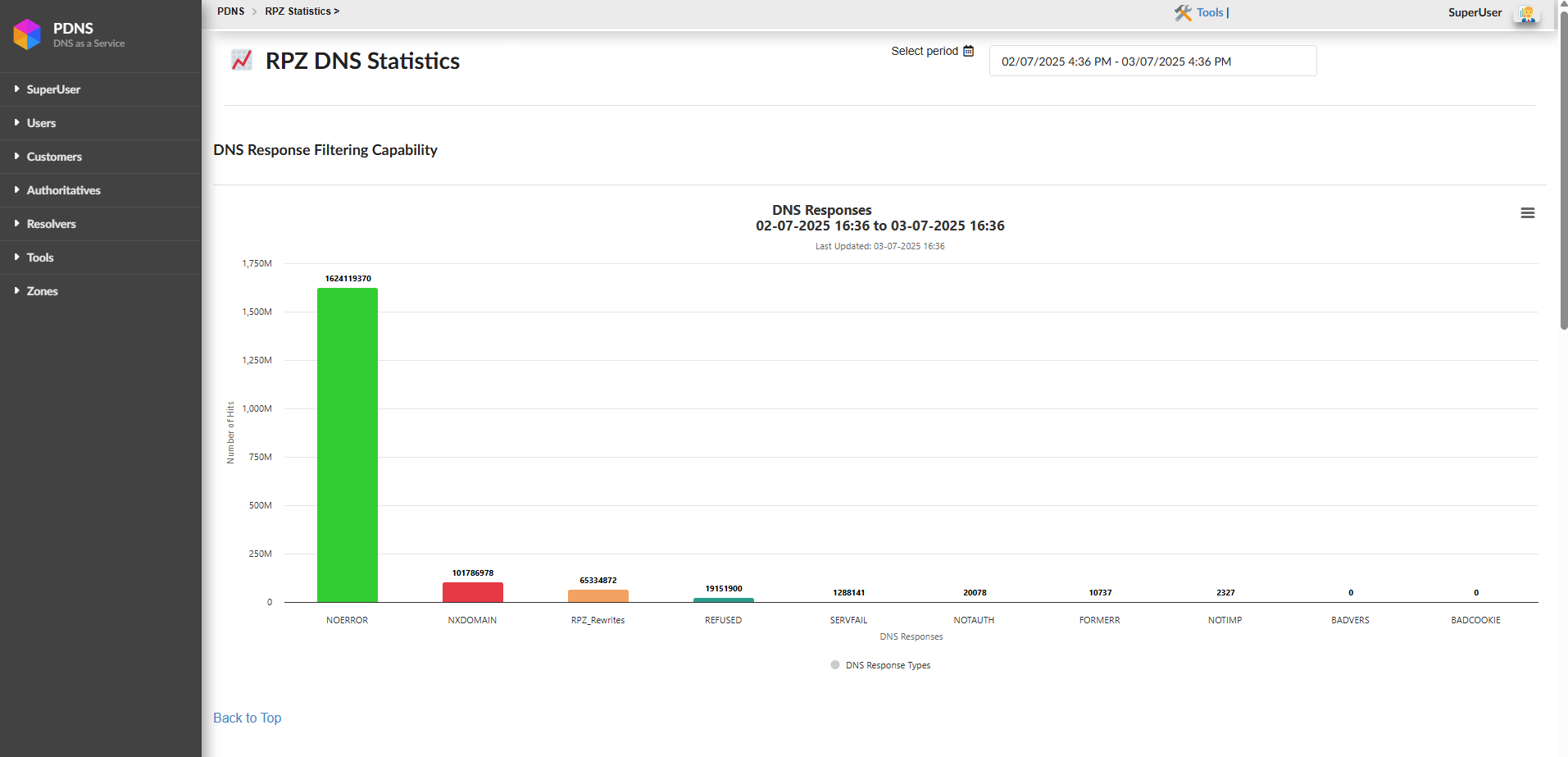
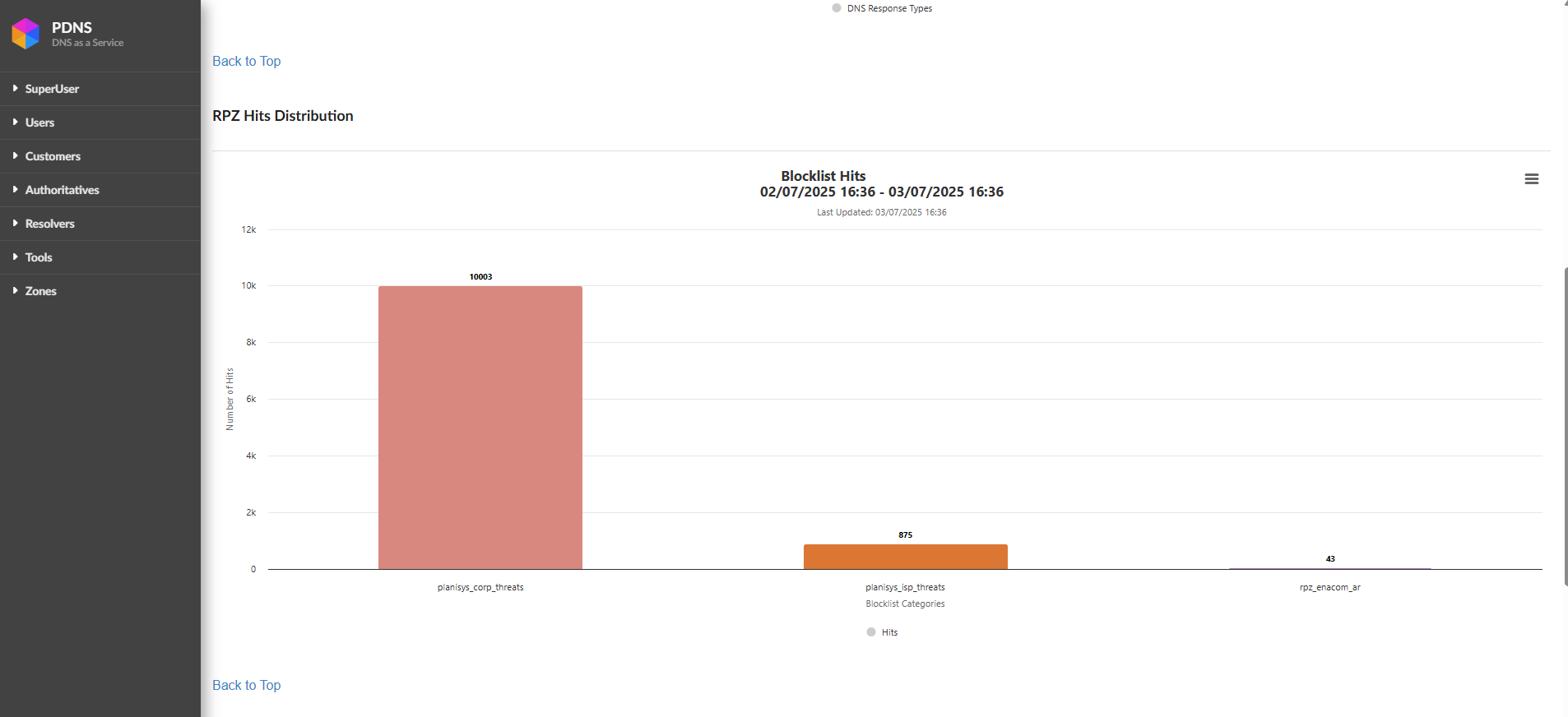
Top 100 RPZ Hits Report
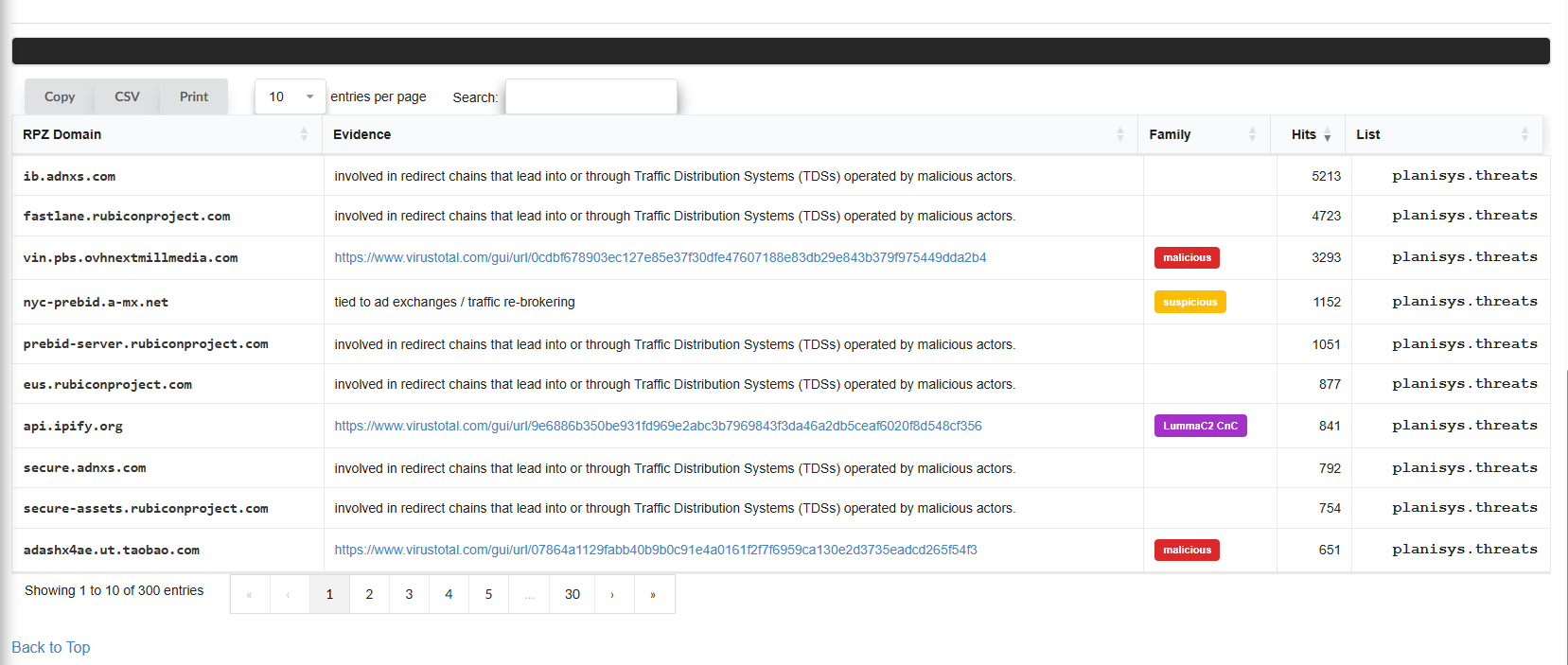
Below the graph, a table displays the top 100 domains/IPs that generated the highest number of hits during the continuous analysis performed by the RPZ DNS service over a given period.
This table includes three main columns:
RPZ Domain: The domain that has been blocked due to its association with malicious or suspicious activities.
Hits: The number of times the domain has been queried and blocked.
List: Displays details of the IP addresses involved, following the RPZ-IP format.
This table is updated periodically and reflects the most relevant domains in terms of malicious or unwanted activity.
About RPZ-IP Addresses
For example, an entry such as:
32.82.31.17.85.rpz-ip
Can be interpreted as follows:
The number “32” indicates a /32 prefix, which refers to a specific IP address that has been blocked.
The remainder of the address is reversed, meaning the associated IP address would be
85.17.31.82.
In other cases, such as:
12.0.0.0.223.rpz-ip
The number “12” refers to a /12 CIDR block, covering a range of IP addresses, in this case 223.0.0.0/12. If a query falls within this block, it will be blocked and return an NXDOMAIN response.
In summary, the Top 100 Hits table shows the primary threat vectors detected by RPZ. It prevented access to malicious destinations and protected both the network and its users. Understanding how to interpret the associated addresses and blocks is key to keeping your network protected against potential threats.
Blackhole Domains
Here, we can manually add, upload, and download records for our RPZ.
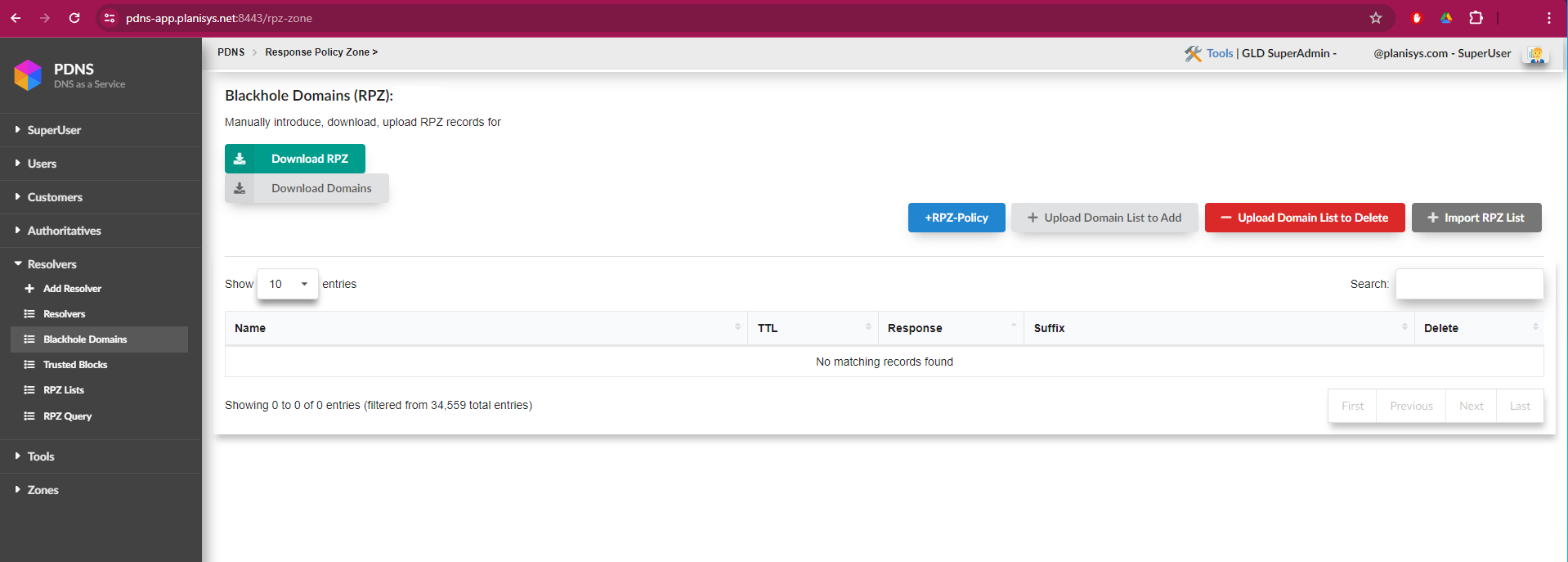
For files containing a large number of domains, such as those provided by government agencies, uploads can be performed without issues related to file size or processing time. Additionally, this screen displays a progress bar to facilitate upload monitoring.
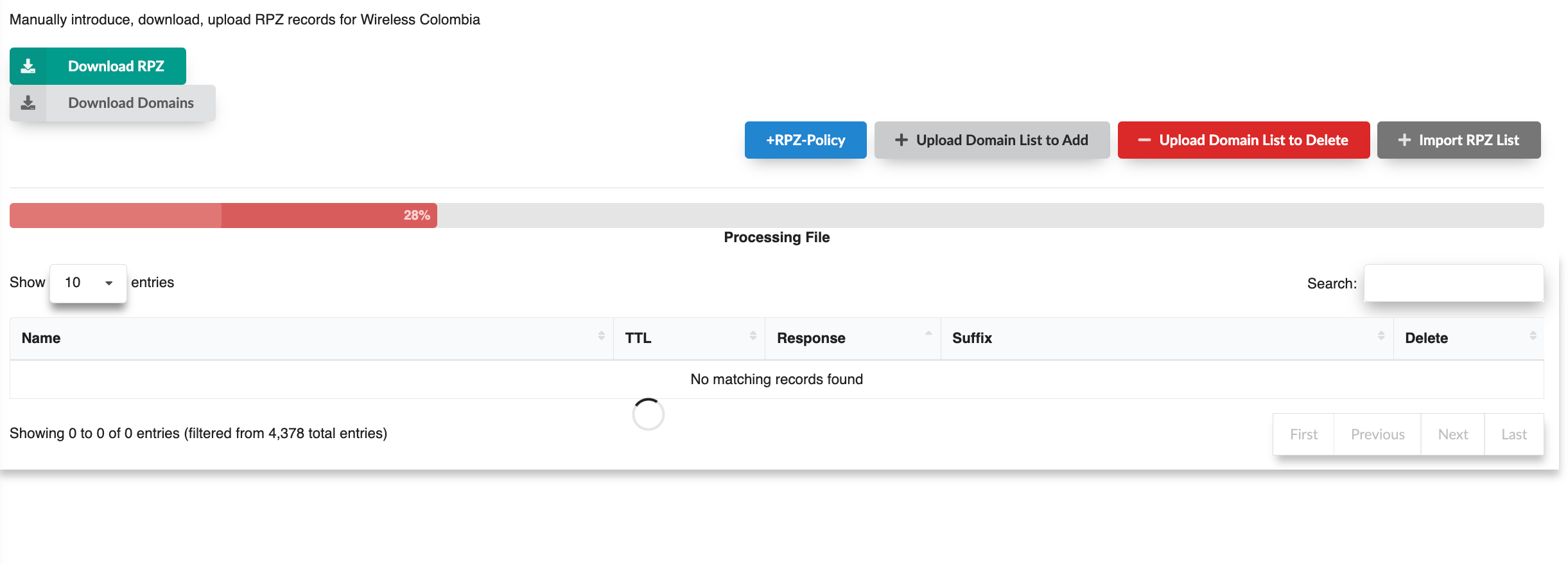
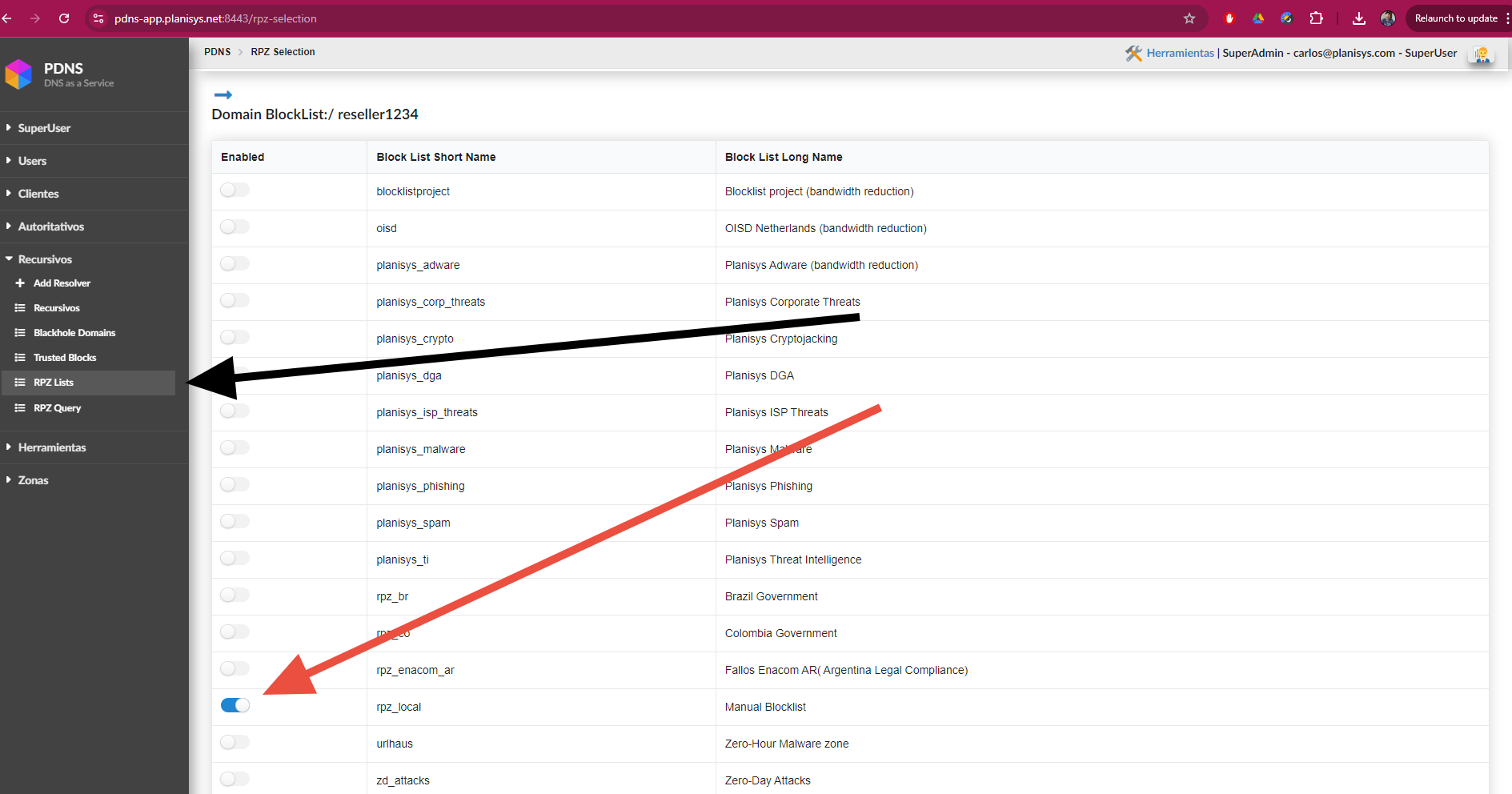
Important! For this functionality to become active, the rpz_local list must be enabled in RPZ List, as shown in the following screenshot:
Trusted Blocks
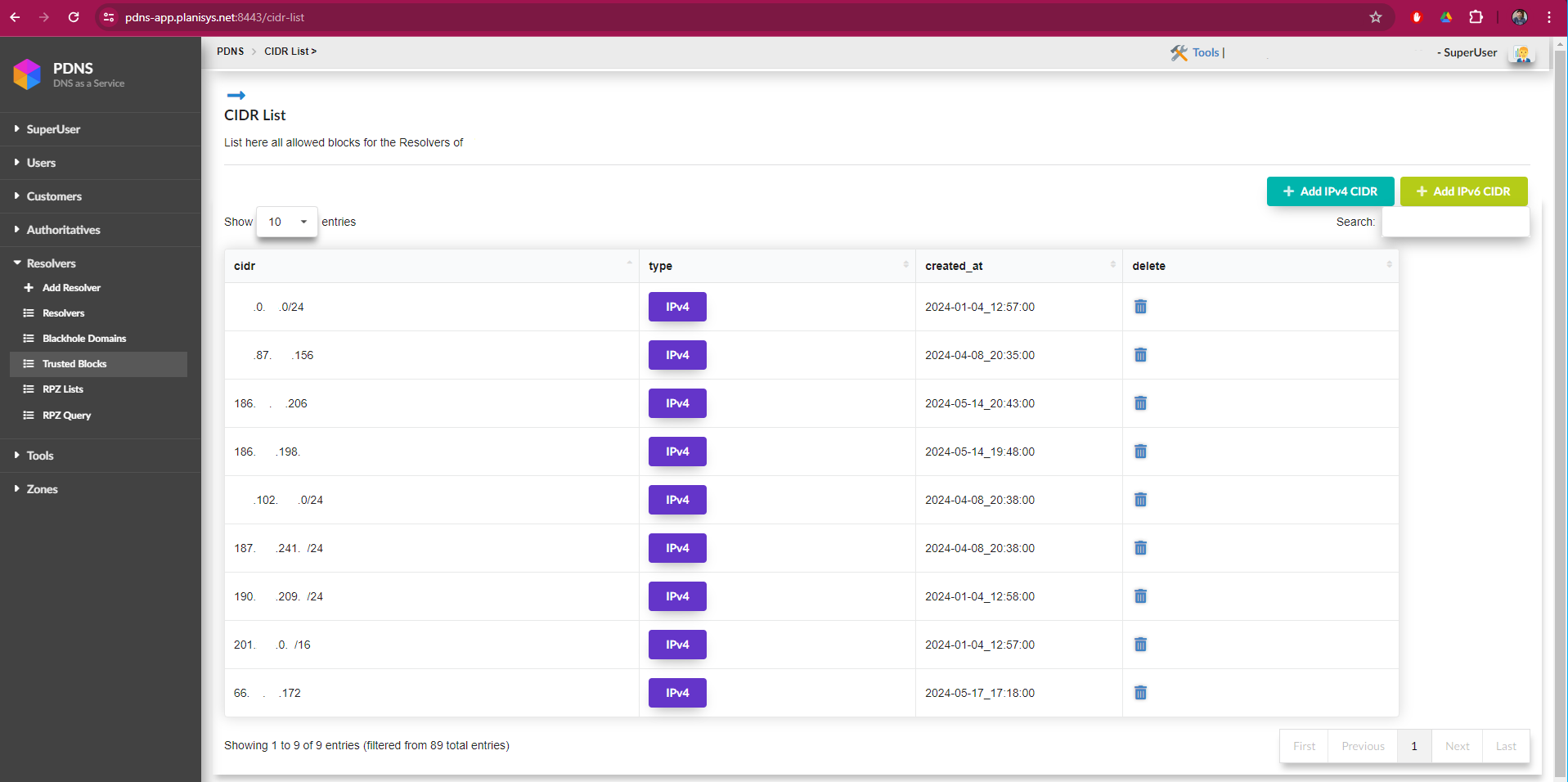
This screen contains the list of CIDR blocks authorized to use the resolvers. Using the “Add IPv4 CIDR” and “Add IPv6 CIDR” buttons, IP ranges or individual IP addresses can be added.
RPZ List
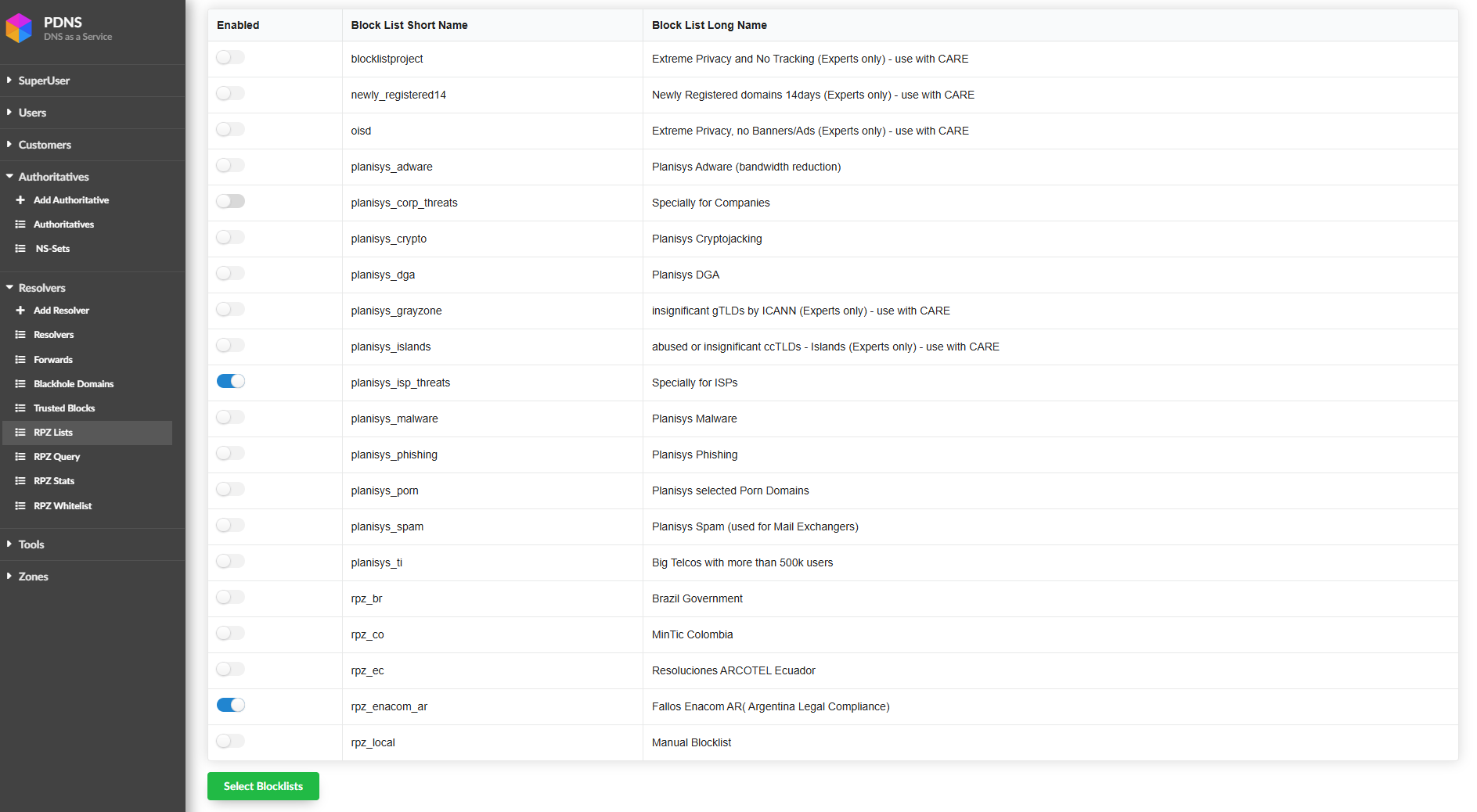
This screen contains all lists and categories that are part of the DNS Response Policy Zones (RPZ) security service. These lists are continuously maintained and updated by Planisys Threat Intelligence and its SOC, which keep information regarding threats, malicious sites, and advertising up to date. This allows ISPs to enable or disable lists according to the desired security level.
Warning
This image serves as an example of how an Argentine ISP with fewer than 500,000 subscribers should be configured.
The following lists have been added. Below is a description of each one:
newly_registered14 Newly Registered domains 14days Updates once per day and contains domains registered within the last 14 days, which are frequently used in cybercrime activities.
planisys_grayzone cheap, abused or insignificant gTLDs by ICANN These are inexpensive domains that are widely abused in cybercrime, such as .top, .xyz, and others.
planisys_islands abused or insignificant ccTLDs - Islands.
This list contains country-code Top-Level Domains (ccTLDs) belonging to islands that have little or no Internet infrastructure but make their two-letter domains available through registries that sell subdomains.
These domain names have been heavily abused by attackers, resulting in a high volume of cybercrime activity. It is not necessary to enable this list unless reports indicate a significant number of attacks involving domains ending in extensions such as .ac, .me, or similar.
The following is an excerpt from the list of:
*.bl      IN CNAME .   ; Saint Barthélemy
*.bv      IN CNAME .   ; Bouvet Island (uninhabited)
*.cx      IN CNAME .   ; Christmas Island
*.eh      IN CNAME .   ; Western Sahara
*.fk      IN CNAME .   ; Falkland Islands
*.fo      IN CNAME .   ; Faroe Islands
*.gf      IN CNAME .   ; French Guiana
*.gl      IN CNAME .   ; Greenland
*.gp      IN CNAME .   ; Guadeloupe
*.gs      IN CNAME .   ; South Georgia and South Sandwich Islands
*.hm      IN CNAME .   ; Heard and McDonald Islands
*.je      IN CNAME .   ; Jersey
*.mf      IN CNAME .   ; Saint Martin
*.nf      IN CNAME .   ; Norfolk Island
*.pm      IN CNAME .   ; Saint Pierre and Miquelon
*.pn      IN CNAME .   ; Pitcairn Islands
*.sh      IN CNAME .   ; Saint Helena and Ascension
*.sx      IN CNAME .   ; Sint Maarten
*.tc      IN CNAME .   ; Turks and Caicos
*.vg      IN CNAME .   ; British Virgin Islands
*.wf      IN CNAME .   ; Wallis and Futuna
*.yt      IN CNAME .   ; Mayotte
Warning
We found that Microsoft is using aka.ms, so we removed *.ms from the islands list, as well as *.gl, which we already knew had been used by Google.
RPZ Query
With the RPZ Query feature, operators can perform support tasks and verify whether a domain is being filtered by the service in response to a customer request. This simplifies troubleshooting, and if a known domain is being filtered incorrectly, the interface identifies the list responsible, allowing it to be disabled and/or reported if necessary.
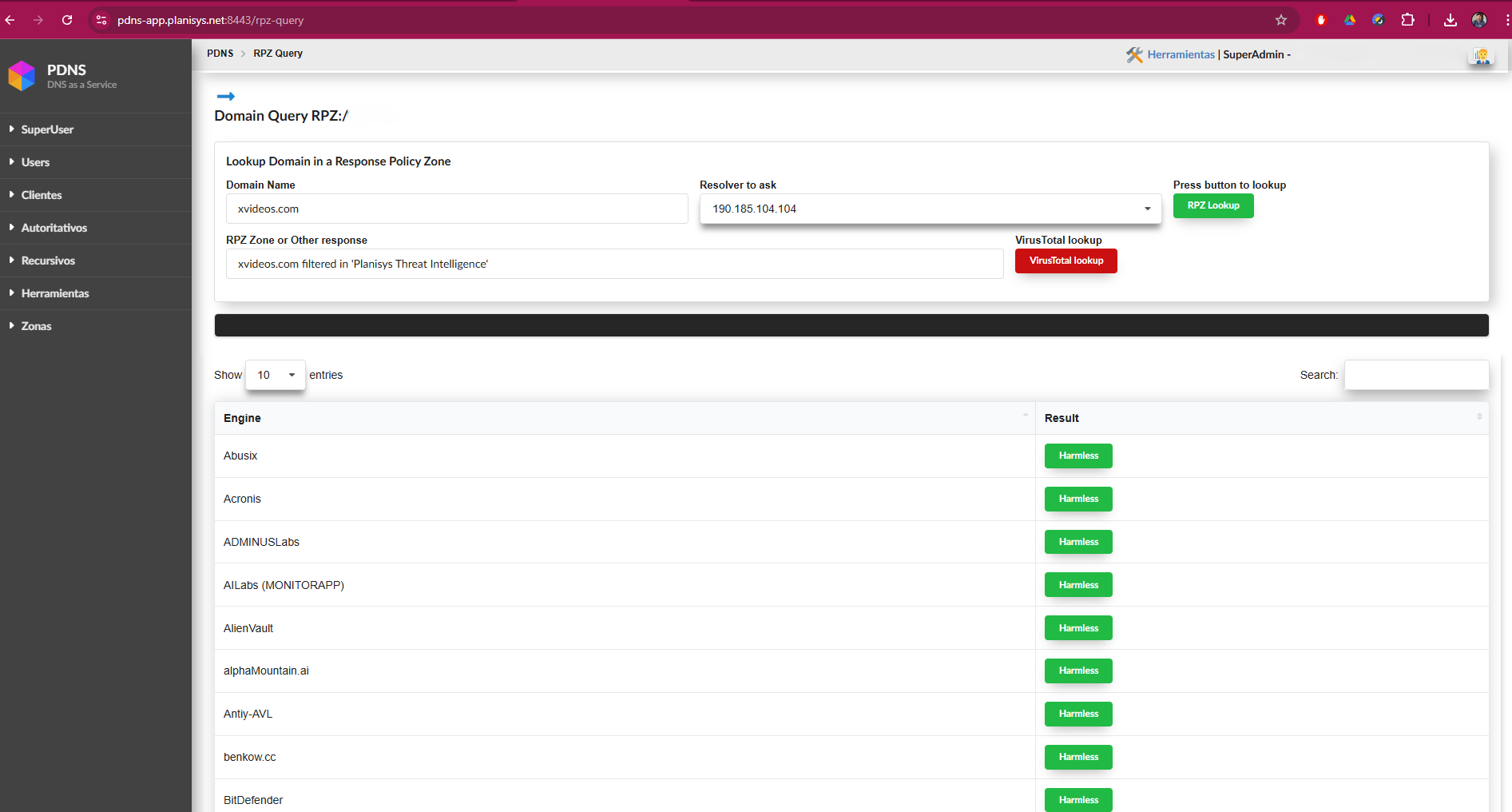
In the screenshot, we can see that the domain to be checked is entered in the Domain Name field. In the RPZ Zone or Other Response field, we can verify whether the domain is being filtered by our service. If it is filtered, the interface displays the list responsible for the filtering, as shown in the example. This allows the operator to disable the list if necessary. If the domain is not listed, the result will indicate: “is not RPZ filtered”.
As of the latest system update, a new button called “VirusTotal Lookup” has been added. This button becomes available once a site has been listed in one of the RPZ lists and allows a direct lookup in VirusTotal. Using this feature, we can evaluate the reputation of the site by reviewing the results provided by all security vendors participating in VirusTotal. This integration facilitates a comprehensive security assessment of the domain and provides an additional tool to help protect our network.
RPZ Whitelist
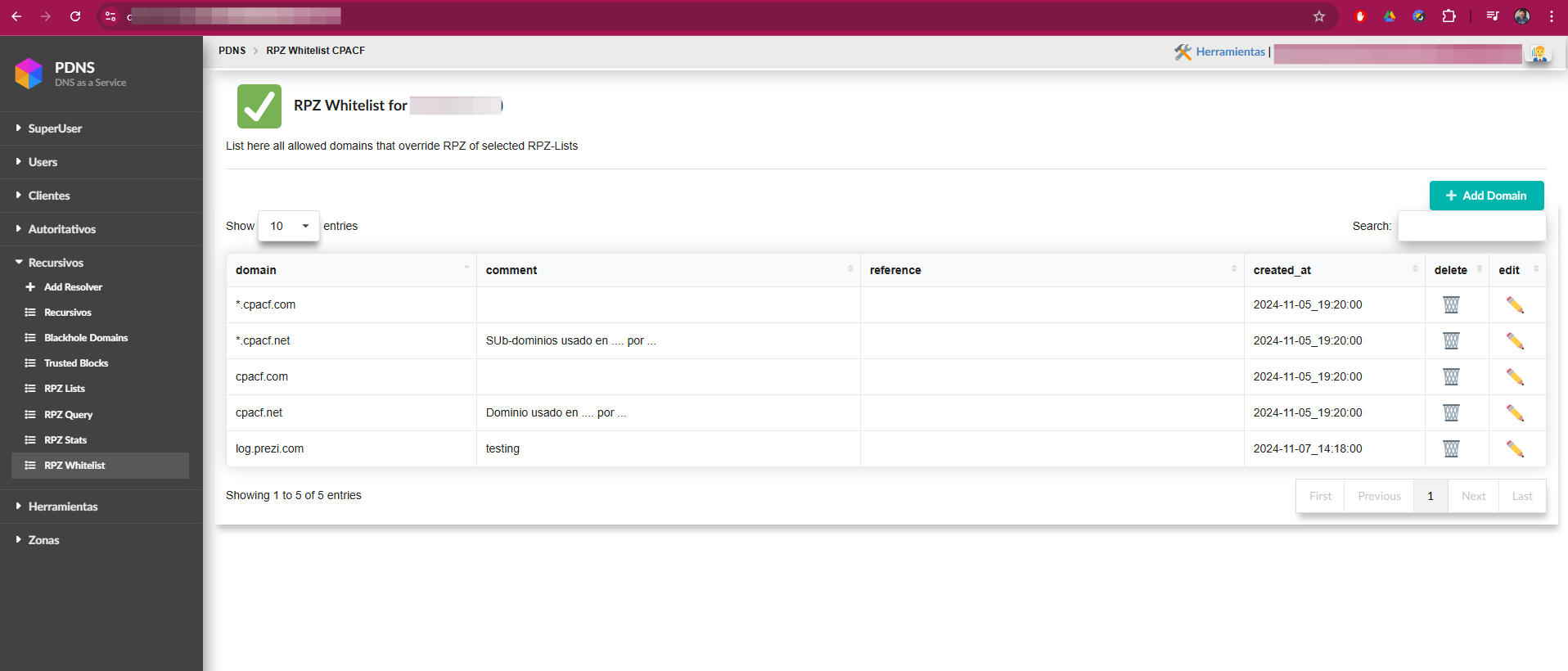
On this screen, the operator has the option to add one or more domains that will bypass any RPZ list in which they are currently listed. This allows exceptions to be managed efficiently, ensuring that the specified domains are not blocked by active protection lists.
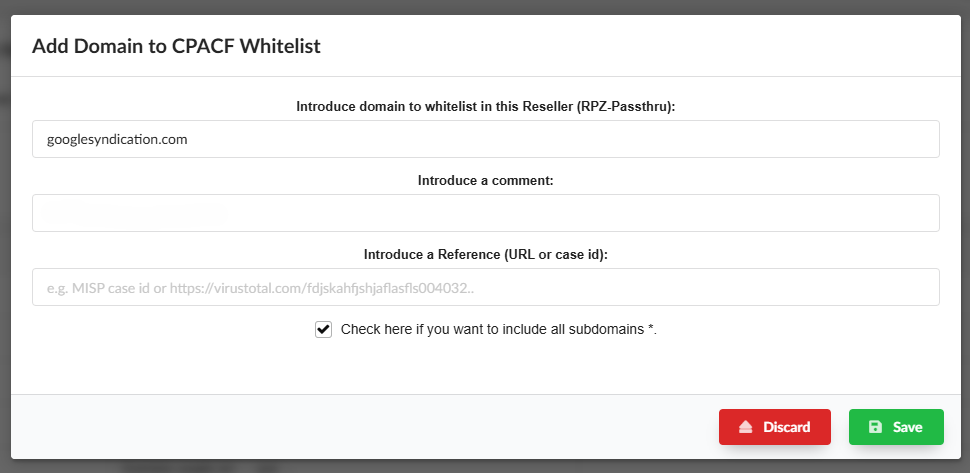
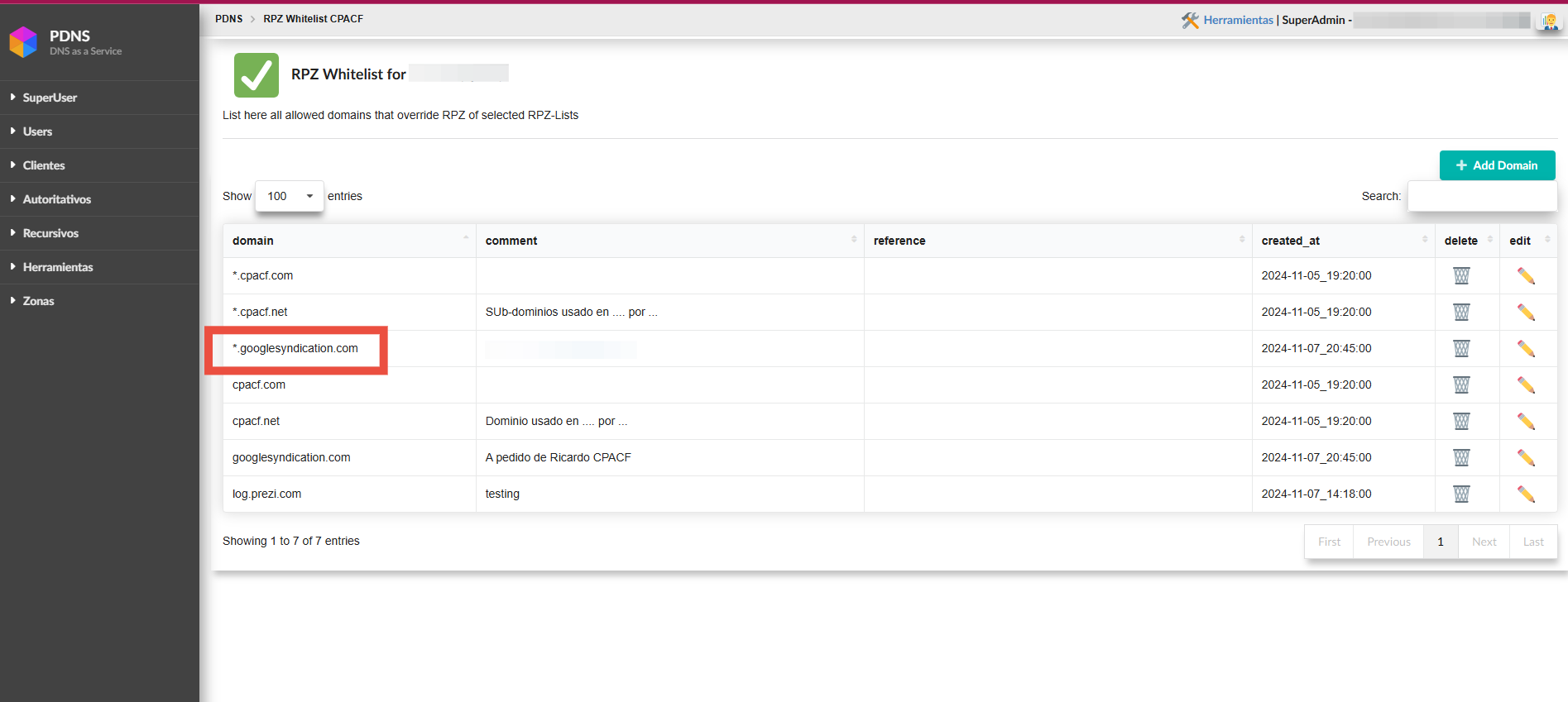
In the following example, we can see how to whitelist all subdomains of googlesyndication.com, resulting in the configuration shown in the next screenshot: